American shoppers were expected to return roughly $849.9 billion in merchandise in 2025, and online stores get hit hardest: the National Retail Federation projected that 19.3% of e-commerce sales would come back. For a solo seller running a Shopify or Etsy store, a return is not just a lost sale — it is the outbound shipping, the return shipping, the customer-service time, and the restocking you do yourself. There is no team to absorb any of it.
What changed by 2026 is price. The AI tools that solve these problems — virtual try-on, product photography, automated support, pricing intelligence — used to require enterprise budgets. Most now have entry tiers a one-person operation can actually afford. This guide covers five categories of tool, with real current pricing and the specific gotchas that matter when you are the only person running the store.
In This Article
Why Solo Sellers Can Use These Tools Now
Running a store alone means you are the photographer, the copywriter, the support rep, the inventory manager, and the marketer — frequently all in one morning. For years the tools that could absorb some of that load were priced for companies with a budget line for software. That is the part that changed: the same categories of tool now ship with free tiers and sub-$50 entry plans aimed at small merchants.
I want to be precise about what these tools do and do not do, because the marketing around them is breathless and the real picture is more useful. None of them replaces you — they replace the support staff a store this size used to need. Below, I have grouped them by job, with the current pricing as of 2026 and the limits that are easy to miss.
1. Virtual Try-On to Cut Returns

Returns are highest in categories where fit and appearance are hard to judge from a flat photo — apparel, accessories, eyewear, and beauty. Virtual try-on attacks that directly by letting a shopper see the product on their own image before checkout. The technology used to require custom development. Now it is a Shopify app.
Genlook (genlook.app, listed on the Shopify App Store) is one of the more accessible options for clothing. It uses generative AI to drape garments on a customer’s uploaded photo without needing 3D models, and the try-on button installs on your product pages without theme edits. Its free plan includes a batch of starter generations plus a small monthly allotment, with paid Starter, Growth, and Pro tiers when you need more volume; the Pro tier removes Genlook branding. For beauty stores specifically, camera-based try-on apps such as Banuba and TWIWT handle live lipstick, blush, and eyeshadow previews.
How much does it actually help? Vendor and industry figures cluster around a 20-30% reduction in returns for apparel and accessories, with higher numbers claimed in some categories. Treat the most aggressive marketing stats with skepticism, but the direction is well established: when customers can see fit before buying, fewer items come back. The honest caveat is that try-on only helps products people wear or apply — it does nothing for, say, a kitchen gadget. If you sell anything worn on the body, it is worth testing on your top SKUs first.
2. AI Product Photography
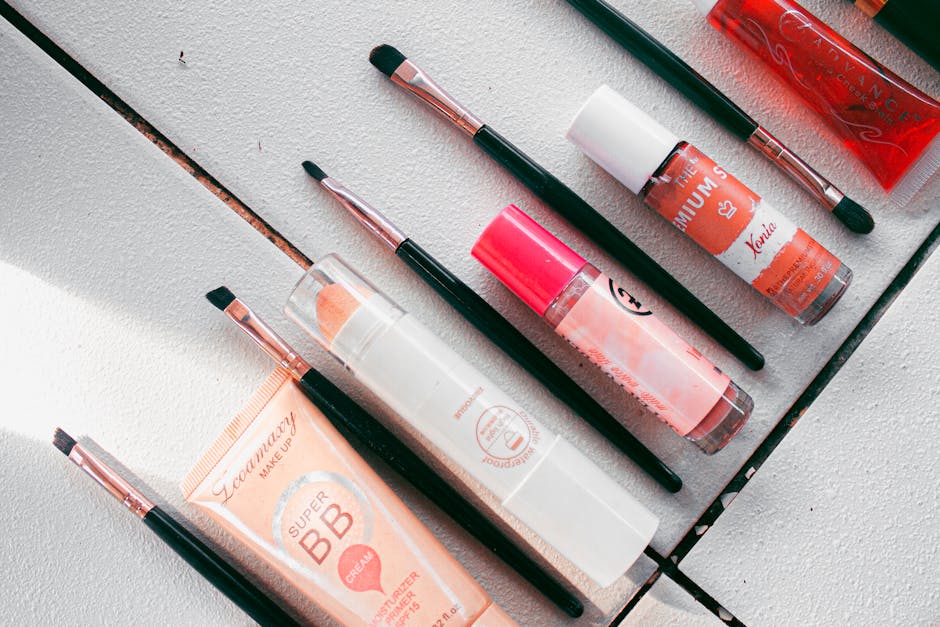
Image quality is not a vanity metric. According to a roundup of e-commerce imagery research, 77% of shoppers in Salsify’s 2025 Consumer Research Report said high-quality images and video are important to their purchase, and high-resolution product photos have been measured converting far better than low-resolution ones. For a solo seller, the bottleneck was always cost and time — studio shoots are expensive and editing eats weekends.
Two tools cover most of the need:
- Photoroom — the simplest entry point. Background removal, templates, and listing studio features, with a free tier (250 exports/month) and a Pro plan at $7.99/month. Good for fast social and marketplace images.
- Claid.ai — a fuller product-photo pipeline: enhancement, background removal, and AI background generation in one place, priced by credits. The Essential plan is $15/month for 500 credits; Pro is $49/month for 2,000 credits with higher resolution and custom AI models. Background removal costs 2 credits and AI background generation 3, so map your monthly volume to the credit math before committing.
The workflow that has worked reliably for me: shoot one honest photo of the real product — even on a plain sheet of paper under window light — then use AI to clean it up and generate consistent angles and backgrounds. The key discipline is restraint. It is easy to push AI enhancement until the product looks better than it does in the box, which sets up disappointment and, ironically, more returns. Keeping one true-to-life image alongside the polished set is a simple guard against that.
3. AI Customer Service
The worst part of running a store solo is the question that lands at 11 PM — “does this come in blue?” — when every hour of silence lowers the odds of the sale. AI support agents in 2026 are a real improvement over the keyword bots of a few years ago; the current generation reads your catalog and policies and answers in context.
Tidio is a common choice, and here the pricing detail matters more than the marketing. Tidio’s live-chat plans start with a free tier and a Starter plan around $29/month — but the actual AI agent, Lyro, is a separate add-on that starts at roughly $39/month for 50 AI conversations and scales up from there. Tidio reports that Lyro resolves up to 67% of customer questions automatically. That can genuinely cut your support load, but budget for the chat plan plus the Lyro add-on, not the $29 base alone — that mismatch is the single most common surprise on the bill.
One setup tip that saves a painful first week: feed the agent your FAQ, return policy, and shipping table on day one, not just product descriptions. Given only product copy, these agents will confidently invent policy details — free international shipping you do not offer, for example. The more grounding context you provide up front, the fewer wrong answers it gives to real customers.
4. Pricing and Inventory Intelligence

Pricing is where solo sellers quietly leak margin. You set a price at launch and rarely revisit it, while competitors adjust weekly. Prisync tracks competitor prices across the web and suggests adjustments against your margin targets. Its entry Professional plan is $99/month for up to 100 products with three daily price updates; higher tiers add a dynamic repricing engine and API access. I prefer keeping it on suggest-only rather than full auto — you want eyes on any change before an algorithm trims your margin.
On the inventory side, Inventory Planner by Sage forecasts demand from your sales history, seasonality, and lead times, then recommends what to reorder and when. Be clear-eyed about the price, though: it starts around $299/month and is genuinely aimed at larger merchants (often cited as a fit for stores past the $1M mark). If you run under roughly 30 active SKUs, a spreadsheet with a reorder-point formula does the same job for free; the tool earns its keep when manual tracking stops scaling, usually past 100 products.
A Realistic Monthly Stack
You do not need everything at once. For a small store, a lean stack covering visuals, support, and pricing looks like this — using the lowest paid tier of each tool:
| Tool | Job | Entry Price |
|---|---|---|
| Genlook | Virtual try-on | Free / paid tiers |
| Photoroom | Product photography | $7.99/mo |
| Claid.ai | Photo pipeline / backgrounds | $15/mo |
| Tidio + Lyro | Chat + AI support agent | $29 + $39/mo |
| Prisync | Competitor price tracking | $99/mo |
| Approx. total | ~$190/mo |
Prices are current entry tiers as of 2026 and will shift — always confirm on each tool’s own pricing page before subscribing, and note that credit-based tools (Photoroom, Claid.ai) and conversation-based ones (Lyro) can cost more than the headline figure once you scale past the included allotment. A genuinely lean starting point is even cheaper: begin with one free try-on app and one photography tool, and add support and pricing only when the store’s volume justifies them.
The order I would recommend adding them: photography first (it touches every listing and has the lowest entry cost), then virtual try-on if you sell wearables, then an AI support agent once message volume starts eating your evenings, and pricing intelligence last, once you have enough SKUs and competitors to make the $99/month worthwhile.
Gotchas I Wish Someone Had Told Me
A few things that are easy to learn the expensive way:
- Watch the credit and conversation meters. The headline price is the floor, not the ceiling. Photoroom and Claid.ai bill by credits; Lyro bills by AI conversations. A busy month can push you onto a higher tier without warning, so check your usage weekly during the first month.
- Over-polished photos backfire. If your AI images make the product look noticeably better than reality, your return rate can rise even as conversion climbs. Pair the polished set with one honest image.
- Ground your support agent before launch. An AI agent with no policy context will invent shipping and return terms. Load your FAQ, returns, and shipping rules on day one.
- Keep pricing on suggest-only at first. Fully automated repricing can quietly erode your margin. Approve changes manually until you trust the rules you have set.
- Match the tool to your scale. Inventory forecasting software is overkill under ~30 SKUs. Do not pay $299/month for a problem a spreadsheet solves.
And a few from my own operation, which sells to overseas buyers from Korea and also lists on domestic marketplaces:
- Not every carrier talks to your marketplace. Some freight carriers I’ve used for domestic marketplace orders don’t sync tracking with the marketplace, so delivered orders sat at “preparing to ship” and payouts were held. The carrier’s own tracking history also disappeared after about four months. I got five held payouts released through the marketplace’s exception process: a list of the delivered orders plus a written pledge to prevent it from happening again. Approval came about five business days after I sent the evidence, and the money arrived within about a week after that. Now I save proof of delivery when the delivery happens.
- Fix the record before you appeal. When a mistyped tracking number triggered a penalty, an appeal sent before correcting it was rejected, because the marketplace only trusts its own stored data. Correcting the tracking number in the system first, then appealing, worked.
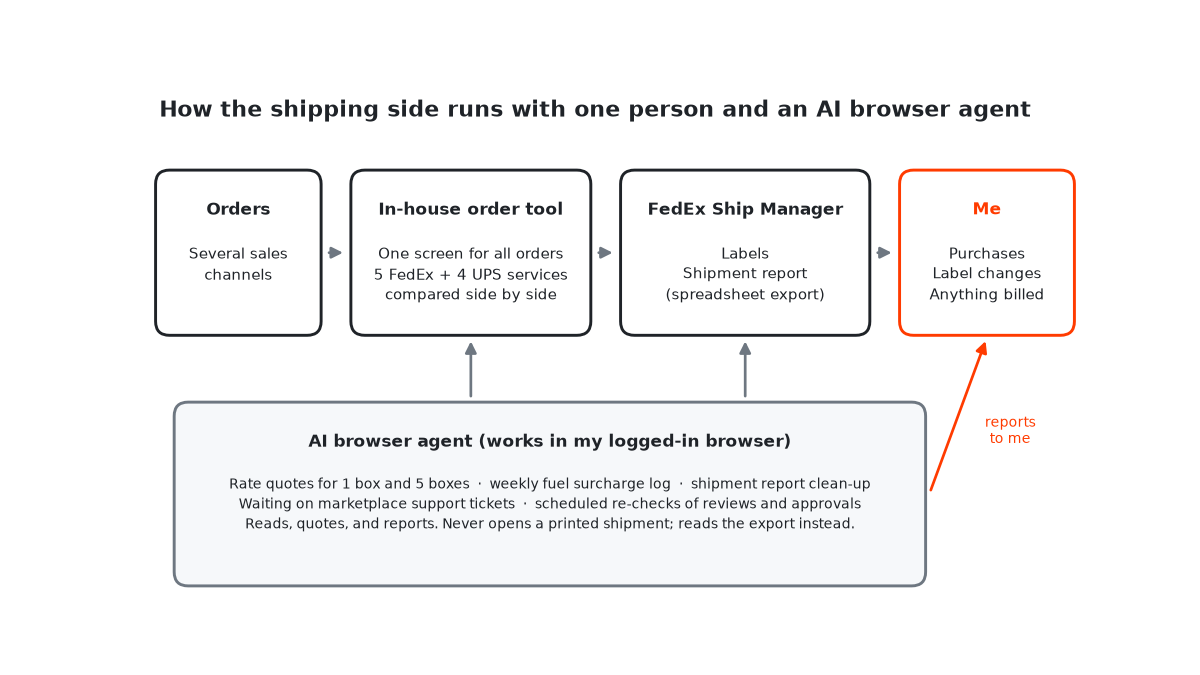
- Separate “check” buttons from “do” buttons. My order tool has a button that, after one confirmation, buys stock and charges my card immediately. Anyone (or any agent) inspecting orders should hit cancel on that dialog by default.
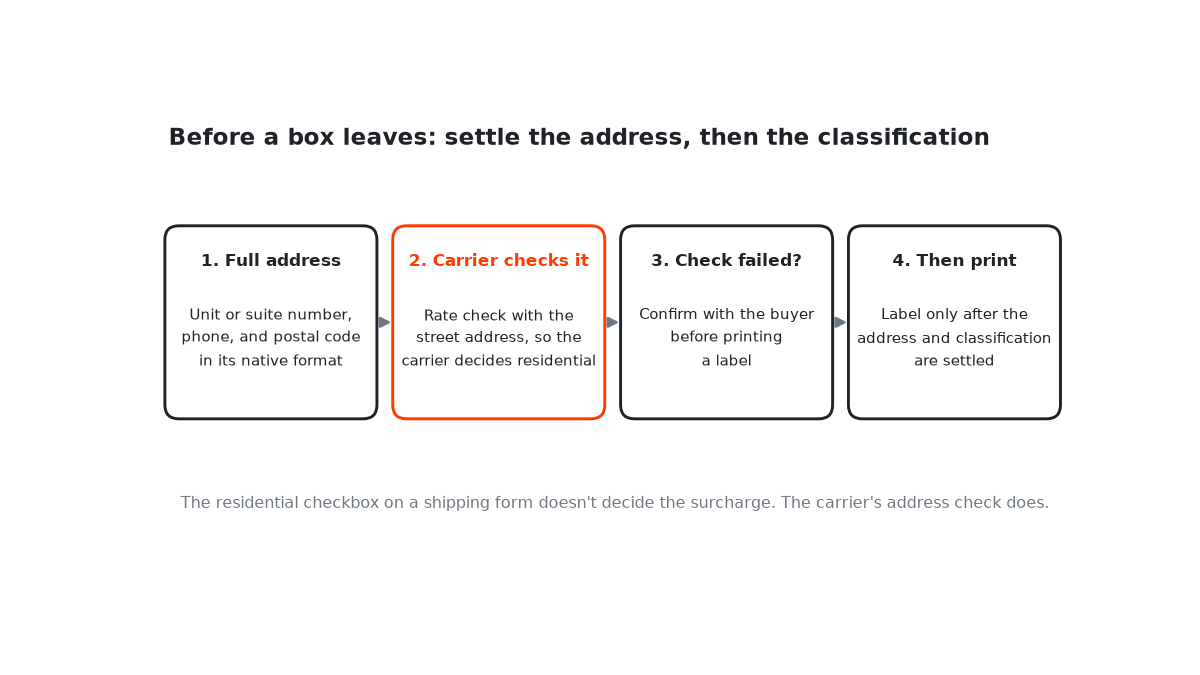
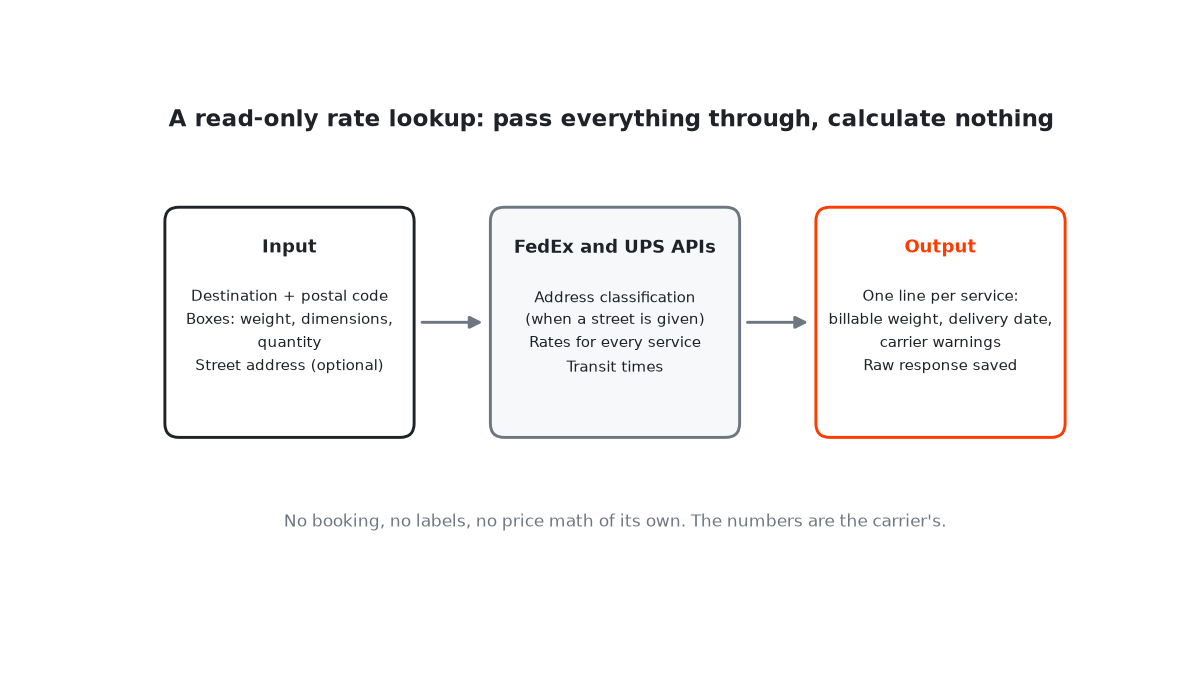
- Quote international shipping per box, not per order. A 43×30×25cm box has a volumetric weight of 6.45kg, so at 22kg it’s billed on actual weight. A bigger box can flip that and change the quote (how I quote shipments).
The gap between a solo seller and a brand with a marketing team has narrowed sharply, mostly on the operational and presentation side. Larger brands still hold real advantages in recognition and ad budget. But the quality of your listings, the speed of your support, and the discipline of your pricing are no longer things you have to concede — and most of the tools that close that gap start free or near it.
If you are just starting, pick one tool and learn it well before adding the next. Photography is the best first move on a tight budget: it touches every listing, has the lowest entry cost, and several tools offer a free tier to test before you pay anything.