Most solopreneurs do not have a “which AI tool is best” problem. They have a timing problem — they pay for premium tiers long before their workflow actually needs them, and the subscriptions quietly eat into thin margins. The honest answer to the free vs paid AI tools question is not “go free” or “go paid.” It is about when. A large share of solo operators can run on free tiers well past their first few thousand dollars in monthly revenue before paid upgrades make a measurable difference. This guide lays out exactly when to stay free, when to upgrade, and how to keep your AI budget proportional to what the business can support — with real current pricing and a simple framework instead of a spending horror story.

In This Article
Why Free AI Tiers Are Often Enough at First
The free vs paid calculation in 2026 looks nothing like it did in 2024. Back then, free tiers were essentially demos: a handful of messages, then a paywall. That has shifted. Today, ChatGPT’s free plan gives capable model access with daily limits, Claude’s free tier handles email drafting and research summaries well, Canva’s free tier includes a large template library and AI image generation, and Zapier’s free plan covers basic automations.
Why did free tiers get so good? Competition. With so many capable AI tools fighting for users, the free tier has become the primary customer-acquisition channel. The companies want you comfortable and dependent before you ever consider a paid upgrade — which works in your favor as long as you stay disciplined about it.

For a solo business in its early stages, free tiers cover a large share of day-to-day work: drafting emails, generating social captions, creating basic graphics, building simple automations, and managing a CRM pipeline. The gap between free and paid is no longer mainly about quality — it is about volume and speed. If you write a couple of posts a week and manage a handful of clients, free tools do the job. If you write ten posts a week and manage fifty clients, paid tiers start saving real hours. Knowing where you sit is the whole decision.
A Free Stack That Covers the Basics
If you want a starting point, these free pairings cover most day-to-day work in a small business. Each pair splits the job so one tool’s limits are covered by the other.
| Job | Free pairing | Why the pair works |
|---|---|---|
| Writing and research notes | Claude Free + Google NotebookLM | Claude drafts long-form well; NotebookLM answers only from the sources you upload |
| Graphics | Canva Free + Microsoft Designer | Canva for layouts and resizing, Designer for one-off AI images |
| Automation | Zapier Free + Make Free | Zapier for simple one-step flows, Make for multi-step or conditional ones |
| Research | Perplexity + ChatGPT Free | Perplexity finds sourced, current information; ChatGPT helps you analyze it |
| Customer chat | Tawk.to + Tidio Free | Tawk.to for live chat, Tidio’s free bot trained on your own FAQ |
| Books and projects | Wave + Notion Free | Wave for invoices and expenses, Notion for content calendars, clients, and SOPs |
Free tiers change often, so check the current limits before you build a routine around one.
Free vs Paid: Feature-by-Feature
Abstract advice does not help you decide. Here is a concrete comparison of the tools most solopreneurs actually use, with the features that matter at each tier and a clear upgrade trigger. Prices are entry-tier rates at the time of writing; always confirm current pricing on each tool’s own page.
| Tool | Free Tier | Paid Tier | Price/Month | Upgrade When… |
|---|---|---|---|---|
| ChatGPT | Capable model, daily limits, basic image gen | Higher message caps, advanced models, custom GPTs | ~$20 | You hit daily limits 3+ times/week |
| Claude | Strong model access, standard context | Higher usage, more context, Projects | ~$20 | Long docs or deep research needed daily |
| Canva | Large template library, basic AI tools | Background remover, brand kits, more storage | ~$13 | Brand consistency matters for client work |
| Zapier | 100 tasks/month, single-step Zaps | 750 tasks/month, multi-step, filters, paths | ~$20 | You need multi-step automations or 100+ tasks |
| HubSpot CRM | Contact management, deal pipeline, email tracking | Sequences, automation, custom reports | paid tier | You manage 50+ active leads/month |
| Notion | Generous free workspace, limited AI | Expanded AI, database automations | ~$10 | AI-assisted writing is a daily habit |
Every tool on that list has a genuinely useful free tier. You can run outreach with HubSpot free, design with Canva free, draft with ChatGPT or Claude free, and automate a few workflows with Zapier free. The paid tiers do not unlock magic — they unlock scale: more messages, more automations, more storage. If you are not at a scale where those limits pinch, you are paying for comfort, not capability.
5 Signals That You Need to Upgrade
So when should you actually pull the trigger? Not when a creator tells you to, and not when you see a discount. When your own workflow sends clear signals.
Signal 1: You hit rate limits consistently. Once or twice a week is normal. Three or more times means you are losing productive time waiting for resets, and at that point a ~$20/month plan pays for itself in recovered hours alone.

Signal 2: Your automations are maxed out. Zapier’s free tier caps you at 100 tasks per month. When your order confirmations, lead notifications, and invoice reminders start competing for those 100 tasks, the Starter plan (around $20/month for 750 tasks and multi-step Zaps) becomes worth it.
Signal 3: Quality issues are costing you clients. This is the big one. If free-tier output needs so much editing that you would be faster doing it manually — or a client notices sloppy work — that is a revenue problem disguised as a tool problem. Paid tiers typically offer better models, longer context, and more consistent output.
Signal 4: You are cobbling together workarounds. Using three free tools to do what one paid tool handles — exporting, editing elsewhere, re-uploading — is a tax on your time, and your time has a dollar value.
Signal 5: Your revenue supports it. Which leads to the framework that keeps all of this proportional.
The 2% Rule: A Simple Budget Framework
A practical guardrail: keep your total AI spend under about 2% of monthly net revenue — net, meaning after direct costs, not gross. It is a rule of thumb rather than a law, but it reliably prevents the slow creep of subscriptions that outpaces what the business can support. Here is roughly what that looks like:
| Monthly Net Revenue | AI Budget (~2%) | Sensible Stack |
|---|---|---|
| $0 – $2,000 | $0 – $40/month | Free tiers. Few or no paid subscriptions. |
| $2,000 – $5,000 | $40 – $100/month | One paid AI (ChatGPT or Claude) + Zapier Starter |
| $5,000 – $20,000 | $100 – $200/month | Primary AI + Canva Pro + automation tool |
| $20,000+ | $200 – $400/month | Full lean stack with API access where it earns its place |
The point of the table is not the exact figures — it is the discipline. Each upgrade should happen only when a specific signal from the list above tells you it is time, not because a new tool went viral. Subscribe in response to a bottleneck, not in anticipation of one.
A Free Tier That Covers a One-Person Shipper
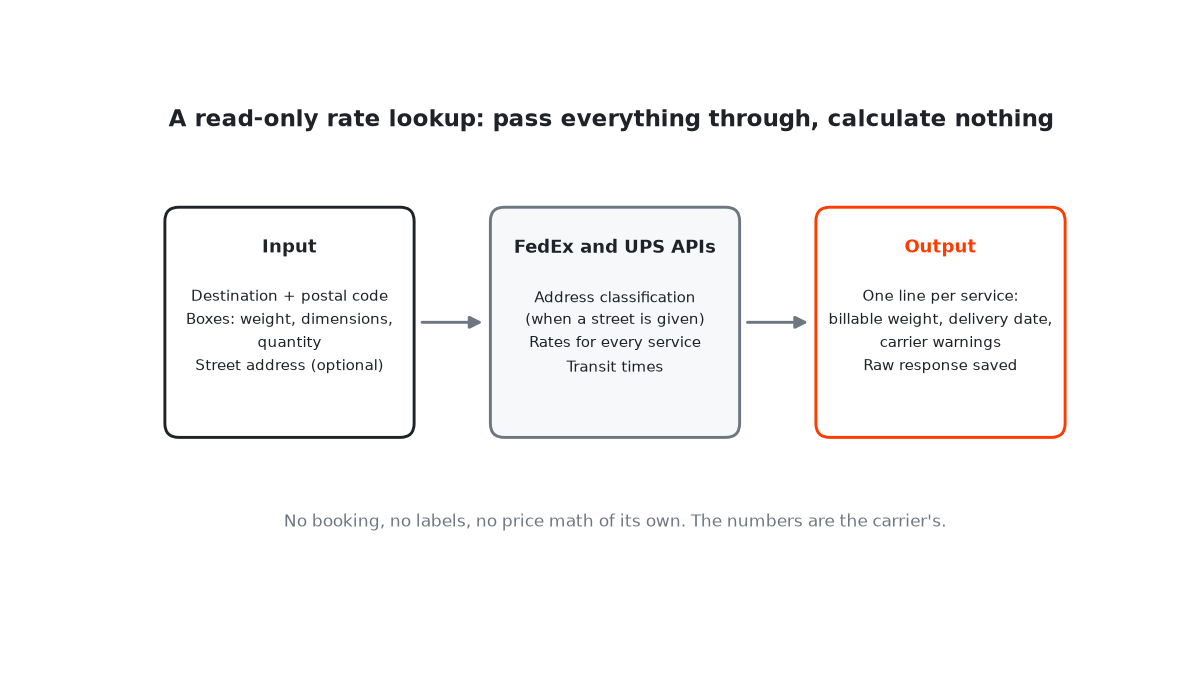
Free tiers are often enough even outside AI. For shipment tracking I looked at FedEx’s two options. The paid “Advanced Integrated Visibility” pushes updates by webhook and is billed per tracking number each month. The free “Basic Integrated Visibility” lets you query up to 100,000 times a day. For a one-person shipper that is far more than needed, which makes the free tier the obvious choice.
Two things I didn’t expect: the tracking API is a separate project from FedEx’s ship and rate APIs, so my existing keys returned a 403 until I created a new project; and there’s no call that lists all of an account’s shipments. You need the tracking numbers. That’s a design constraint, not a reason to pay.
When Paid AI Tools Actually Pay Off
“ROI” gets thrown around without anyone showing the math, so here is the simple version. The fastest payback comes from tools that either automate repetitive work or sharply speed up content production. If a writing tool cuts an article from four hours to under two, and you produce several pieces a month, the time saved easily exceeds a $20 subscription — often within the first month. Automation tools pay off similarly fast once you are past the free task cap.

Not every upgrade returns that fast. Design tools like Canva Pro often take longer to show clear value — typically once you have built out reusable brand kits and templates so the time savings compound. The general pattern looks like this:
- Weeks 1-2: Learning curve. The paid version may not feel worth it yet. Push through.
- Months 1-2: Workflows stabilize as you build habits around the premium features.
- Months 2-3: Positive return. Time savings start to clearly exceed the subscription cost.
- Months 6-12: Full payback. Saved time, better output, and smoother operations compound.
The biggest mistake is subscribing to four tools at once and never mastering any of them. Upgrade one at a time, give each about 30 days, and measure what actually moves the needle versus what just drains the budget.
The Common Over-Subscription Trap
The pattern repeats across solo businesses: someone sees a viral post about a new AI tool, subscribes immediately, and forgets it exists two weeks later because their existing stack already handled the job. Repeat that impulse a few times a year and you have a stack of half-used subscriptions — money that could have funded ad spend, inventory, or anything that actually generates a return. It is also common to subscribe to two tools that do nearly the same thing, like two general writing assistants, when one would cover both jobs.
A quick filter before any upgrade: “Did I hit a wall with my free tool three or more times this week?” If no, close the pricing page. If yes, check whether the paid tier fixes that specific bottleneck — not whether it adds appealing extra features. That distinction alone prevents most wasted spend. And when you do upgrade, start monthly rather than annual; annual plans save a little but lock you in before you know whether the tool sticks.
Start Free, Upgrade Smart, Stay Lean
The free vs paid AI tools debate has a simple answer in 2026: start with everything free and let your business tell you when to upgrade — not a marketing email, not a comparison chart, but your actual workflow bumping against real limits.
Remember the framework: free tiers in the early stage, one or two targeted upgrades as you grow, a full lean stack once revenue supports it, the 2% rule as your guardrail, and upgrade signals as your trigger. The best AI tool is the one your business actually needs right now — the one that removes a real bottleneck — not the one with the flashiest demo. Bookmark this and revisit it the next time you are tempted to subscribe to something new.