An address can cause more trouble than the box. How it’s written, whether the carrier can validate it, and whether the carrier classifies it as a home or a business all affect when a package arrives, and some of them change what you pay. Here’s what I’ve learned to check before a box leaves Korea.
Residential Is the Carrier’s Call, Not a Checkbox
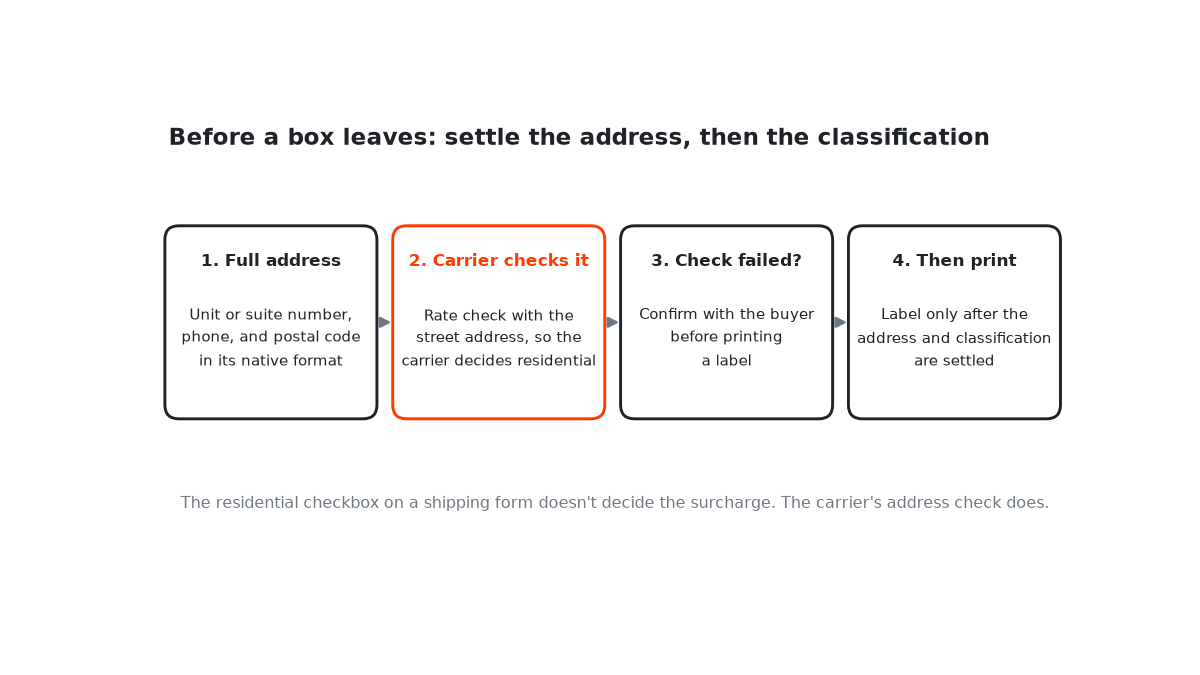
Shipping forms often have a “this is a residential address” checkbox, and it’s tempting to think that decides the residential surcharge. From what I’ve seen in my own FedEx account, it doesn’t. FedEx can apply its residential delivery surcharge based on its own address validation, however the checkbox was set.
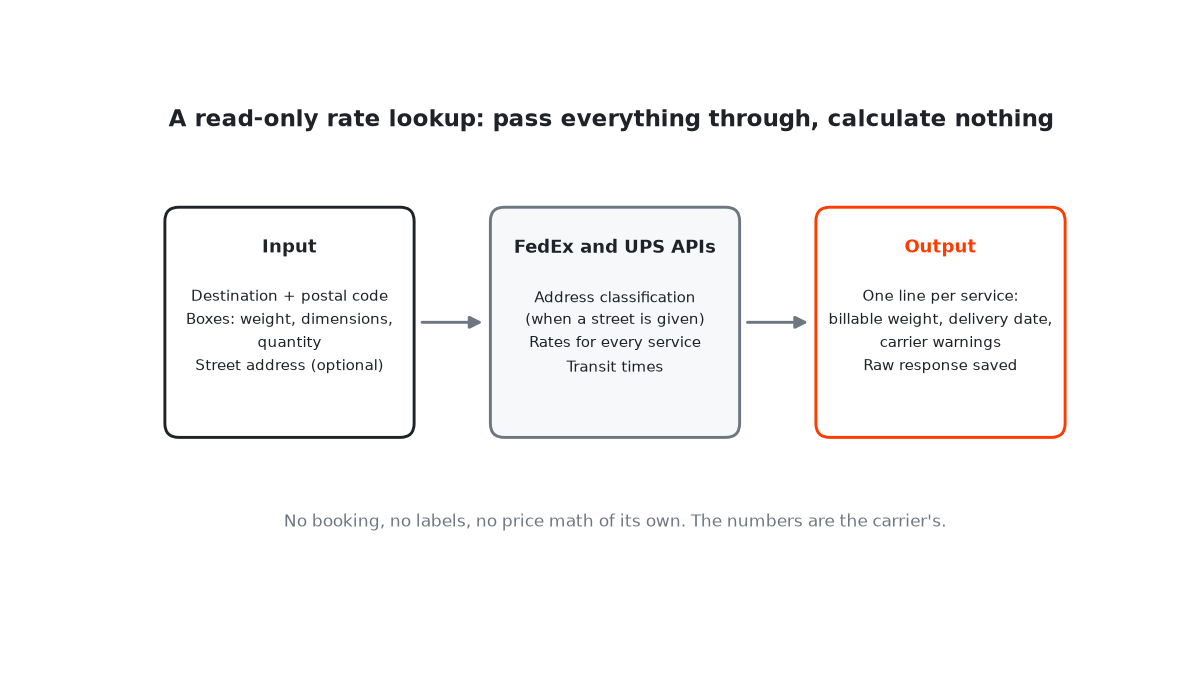
So when I check a rate, I let the carrier classify the address first. My rate lookup passes the street address to the carrier’s address check and uses the answer. A quote without a street address leaves out any residential surcharge, which is why I don’t rely on address-less quotes for home deliveries.
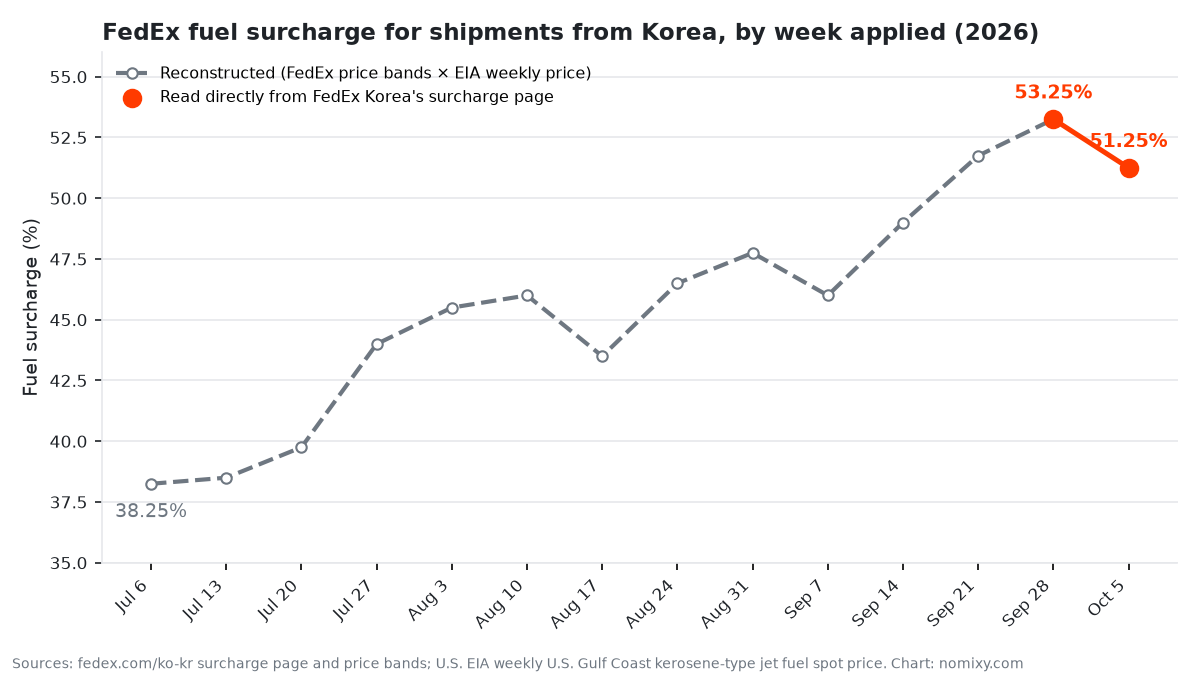
There’s a second reason to care. FedEx applies its weekly fuel surcharge on top of certain other surcharges, and residential delivery is one of them. A residential classification adds cost twice.
When Validation Fails
A failed validation doesn’t always mean a bad address. In September 2026, FedEx’s address check failed on a U.S. address I was rating, which left the residential question unanswered. When that happens, confirm the details with the buyer before guessing: street number, unit or suite, city, state or province, and postal code.
It’s worth doing before the label rather than after. FedEx lists address correction as its own surcharge, so a fix at the planning stage is the cheap one.
Write the Address the Way the Destination Expects
- Copy the buyer’s address exactly, then check it. Don’t reorder or abbreviate it from memory. Address formats differ by country.
- Keep the postal code in its native format. In some countries, hyphens and spaces are part of the code.
- Never drop the unit, suite, or apartment number. FedEx’s address validation even reports “suite required but missing” as a result of its own.
- Include a phone number. Carriers ask for it so they can reach the recipient when a delivery can’t be completed.
- For Korean addresses, use the official English form. Korea’s road-name address service has an English address search that gives the romanized form the postal system uses.
Romanizing a Korean Address: The Order Flips
Korean addresses are written from the largest unit to the smallest: province or city, then district, then road name, then building number, then the unit. The English form runs the other way, from the unit and building number up to the city, followed by the postal code and the country. Mixing the two orders is one of the easiest ways to confuse a carrier’s system or a foreign courier reading the label.
Road names are romanized as one word with the suffix attached, such as “-ro”, “-daero”, or “-gil”, and in the English form the building number comes before the road name. Rather than romanizing by ear, copy the form the official English search returns. Spelling variations are what make validation fail.
A Tool for Converting Addresses to English
Disclosure: I also run addran.com, a tool I built that converts addresses written in many languages into a standard English form using Google Maps geocoding. It’s useful for getting a consistent English version to start from, but the same rule applies: confirm the result with the recipient, and let the carrier validate it.
A Simple Pre-Shipment Address Check
- Get the full address, including the unit number, and a phone number.
- Run the rate check with the street address so the carrier classifies it.
- If validation fails, confirm with the buyer before printing anything.
- Print the label only after the address and its classification are settled.
None of this is complicated. It just has to happen before the label, every time.