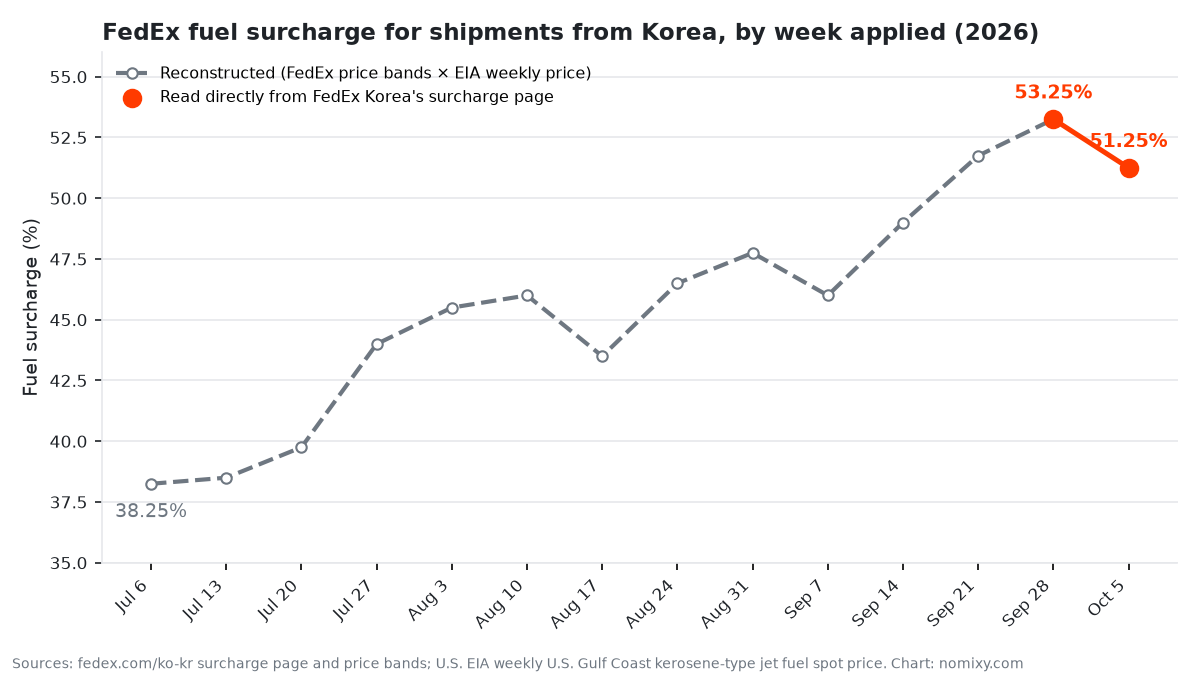
Every time I plan an international shipment, I start with the same question: what will the carrier actually charge for these boxes? That answer used to come from the carriers’ websites, one form at a time. In September 2026 I replaced that with a small command-line tool that asks FedEx and UPS directly and prints their answer. I built it with an AI coding assistant over two days.
What It Does
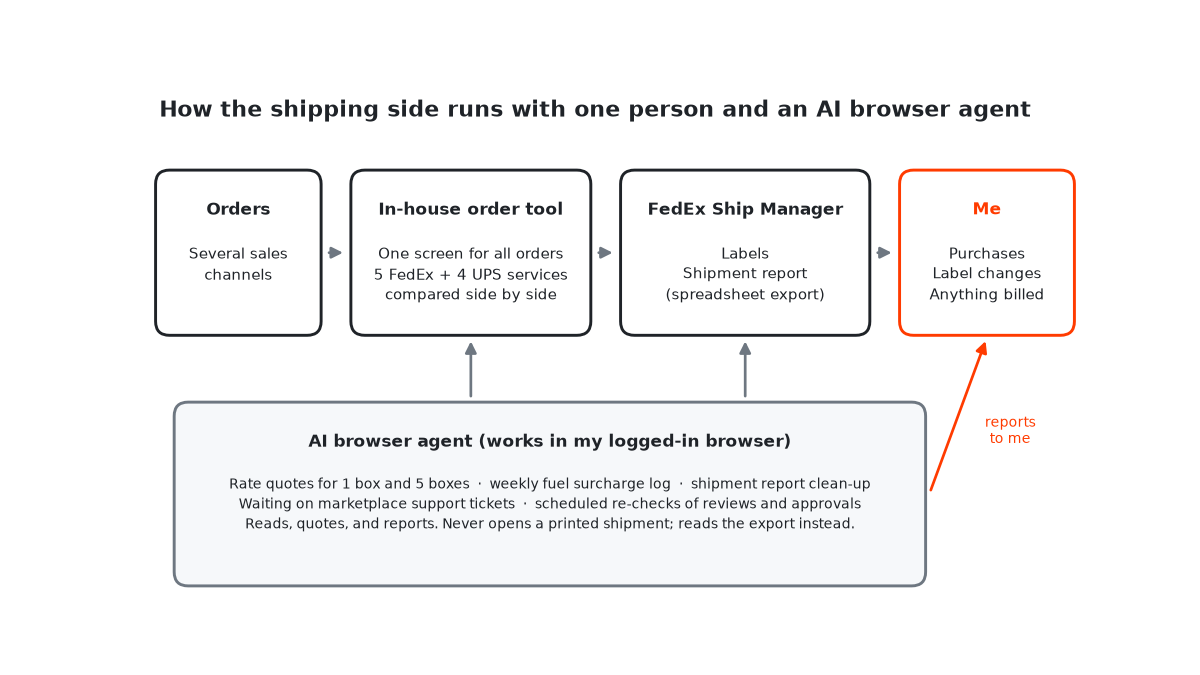
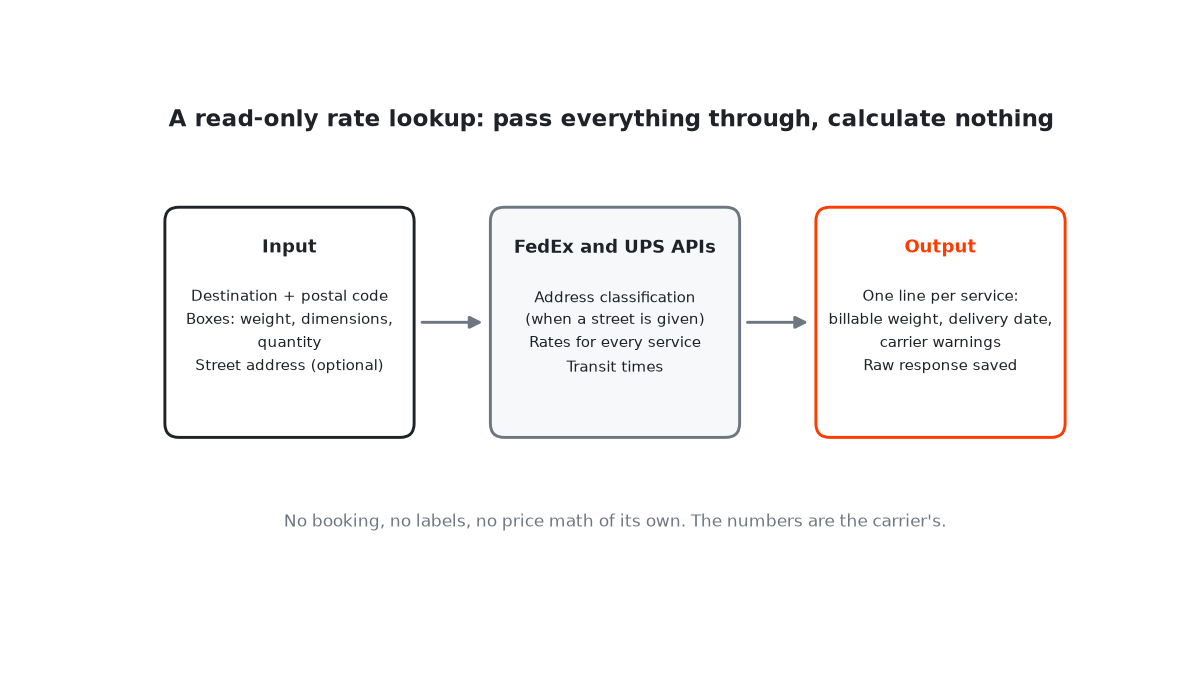
My order tool already compares services for a specific order. This lookup is for quick what-if checks: a different box size, another destination, a later ship date. You give it a destination and the boxes, and it returns the carrier’s answer:
- Input: the destination country and postal code, plus each box as weight, dimensions, and quantity. A street address is optional.
- Output: one line per service with the billable weight, the estimated delivery date, and any warning the carrier attached. A
--fullflag prints the carrier’s complete breakdown. - Audit trail: every request, with the account number masked, and every raw response is saved, so I can check later exactly what the carrier said.
- Read-only by design: it never books a shipment or creates a label.
A typical call, for two 20kg boxes going to the U.S., looks like this:
fedex-rate --to US --postal <postal-code> --box '20:40x30x30*2'A twin command does the same for UPS with the same arguments, and I usually run both side by side. (The quotes around the box spec matter. Without them, my shell tried to expand the * as a filename pattern and the command failed.)
The Rule That Shaped It: Pass Everything Through
The most important decision wasn’t technical. I wanted the carrier’s own numbers, not my estimate of them. So the tool sends my inputs to the carrier as they are and prints what comes back. It doesn’t do its own price math, doesn’t drop or re-sort services, and doesn’t calculate volumetric weight itself. The billable weight it shows is the carrier’s.
That sounds like a limitation. In practice it’s the point. A homemade calculation is a second source of truth, and second sources drift. When a number looks wrong, I want to know it’s the carrier’s number, and the saved raw response lets me check.
Three Things the Carrier APIs Taught Me
1. Residential is the carrier’s call
Whether a delivery counts as residential changes the price, and it isn’t something you decide. When I pass a street address, the tool asks the carrier how it classifies the destination (FedEx’s address validation, or UPS’s address classification, which covers U.S. and Puerto Rico addresses) and sends that along with the rate request. Without a street address, no residential flag is sent, so the quote leaves out any residential surcharge. I treat address-less quotes as incomplete for that reason.
2. UPS wants the account and the shipper in the same country
UPS’s rating API returns error 111617 when the country on the account and the country of the shipper don’t match. It’s a small rule, but it’s the kind you only find by running into it.
3. Delivery dates are a separate question
FedEx returns delivery dates from its transit-times service, not in the rate response, so the tool makes a second call for them. A flag skips it when I only need the price.
One more detail: carriers attach routine notices to every service in every response. The tool hides those in the short view and keeps them in the full output and the raw logs, so the warnings that matter stand out.
What Building It With an AI Assistant Looked Like
I built it in Claude Code, Anthropic’s coding assistant, on my own server. The first working versions of the FedEx and UPS commands both came together on the afternoon of September 15, 2026, and I finished refining them the next day. Over that stretch the FedEx script went through 29 rounds of edits and the UPS one 15.
The split of work was clear. I set the rules: read-only, pass everything through, save the raw responses, hide routine noise. The assistant wrote the code that follows them, about 650 lines of Python using only the standard library.
Should You Build One?
If you check rates a few times a month, the carriers’ websites are fine. If you do it several times a week, a small tool starts to make sense, and both FedEx and UPS run developer programs with rating APIs.
If you do build one, the three rules above are the part I’d copy. Keep it read-only, so checking a rate is never one click away from booking. Print the carrier’s number instead of calculating your own. And save the raw request and response, because that’s the only way to settle whether a surprising number came from the carrier or from your inputs.
For how the lookup fits into the rest of the shipping work, see my one-person shipping setup.