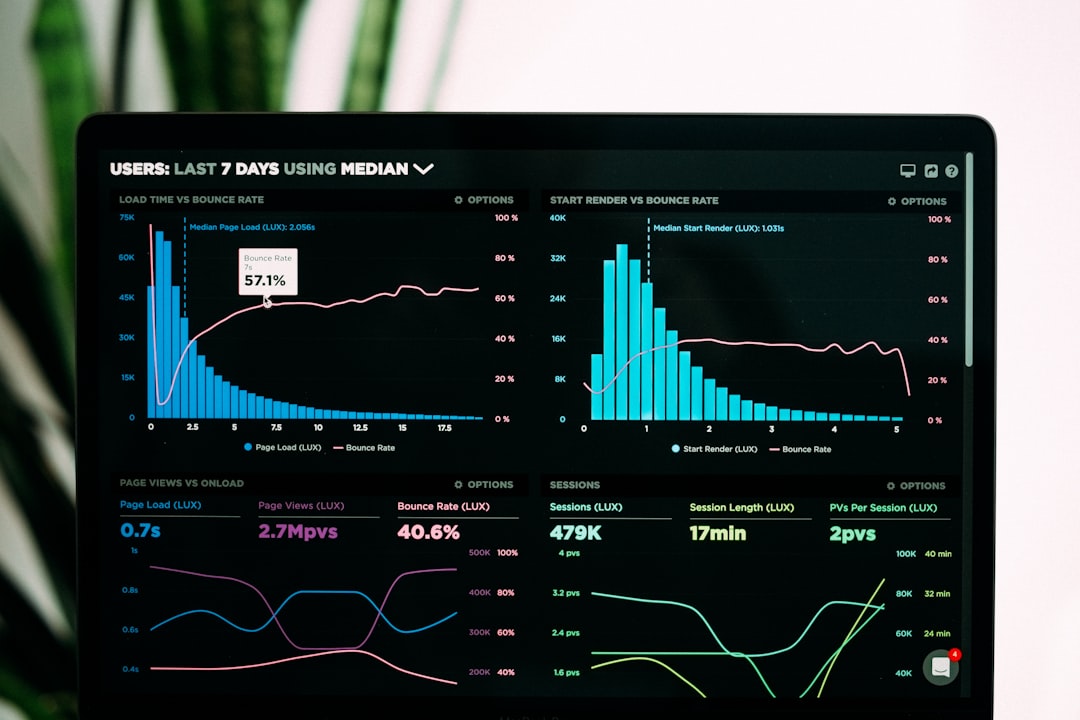
Can you build a $10,000-per-month software product without writing a single line of code? Six months ago, I would have laughed at that question. But then I tested several vibe coding tools — and shipped my first micro-SaaS in 11 days. From napkin sketch to paying customers.
MIT Technology Review just named vibe coding one of the 10 Breakthrough Technologies of 2026. The concept is deceptively simple: describe what you want your app to do in plain English, and AI writes the code for you. No memorizing syntax. No debugging cryptic stack traces at 2 a.m. No $150-per-hour contractor invoices.
A 2026 GitHub survey found that 84% of developers now rely on AI coding assistants daily. But here’s the part that matters more to you and me: non-developers are flooding in. Solo-founded startups surged from 23.7% of all new ventures in 2019 to 36.3% by mid-2025 — and vibe coding tools are pouring fuel on that fire.
This guide is for solo founders, freelancers, and digital nomads who want to build and sell software without a computer science degree. I’ll break down the 7 best vibe coding tools on the market right now, what each does well (and where each falls flat), and the exact process I used to ship a real product that earns recurring revenue. If you’ve ever had a software idea you couldn’t build yourself, keep reading.

In This Article
- What Is Vibe Coding and Why MIT Named It a 2026 Breakthrough
- 7 Best Vibe Coding Tools for Building Apps in 2026
- Picking the Right Vibe Coding Tool for Your Specific Project
- From Plain English to Paying Customers: A Step-by-Step Build
- Revenue Data From Real Vibe-Coded Products
- My 11-Day Vibe Coding Experiment: Wins, Failures, and Honest Lessons
- Frequently Asked Questions
What Is Vibe Coding and Why MIT Named It a 2026 Breakthrough
Andrej Karpathy, the AI researcher and former Tesla AI director, coined “vibe coding” in early 2025. The idea: instead of typing code line by line, you have a conversation with AI. You tell it what you want. It writes the code. You test the result and give feedback. The AI iterates. Repeat until done.
That sounds like wishful thinking — until you actually try it.
I opened Cursor (one of the vibe coding tools I cover below) and typed: “Build me a Chrome extension that summarizes any webpage into 3 bullet points and saves them to a dashboard.” Forty minutes later, I had a working prototype. The UI looked like it was designed in 2005, sure. But the logic worked. The API calls fired correctly. I could actually use it on real web pages.
MIT’s selection committee wasn’t picking favorites for fun. They noted that vibe coding tools lowered the barrier to software creation from “you need years of programming education” to “you need to describe what you want clearly.” That distinction matters because it unlocks an entire class of domain experts — accountants, marketers, fitness coaches, cosmetics exporters like me — who know exactly what software their niche needs but never had the technical chops to build it.
And the market agrees. According to NxCode’s 2026 analysis, the micro-SaaS segment is growing at roughly 30% per year, on track to hit $59.6 billion by 2030. The most profitable solo-built micro-SaaS products in 2026 generate between $5,000 and $50,000 in monthly recurring revenue with zero full-time employees.
The tools are real. The money is real. And the barrier just dropped to near zero.
7 Best Vibe Coding Tools for Building Apps in 2026
Not all vibe coding tools work the same way. Some spit out entire applications from a single prompt. Others act as AI co-pilots inside your code editor. I tested each of these over the past three months while building side projects for my export business. Here’s what I found — the good, the bad, and the stuff the marketing pages won’t tell you.
1. Cursor — The Power User’s Pick
Cursor is a code editor (forked from VS Code) with AI woven into every feature. You write plain-English instructions, and Cursor generates code, fixes bugs, and reorganizes your project structure. It’s the tool I reached for most often because it gives you control. You still see the code — you just don’t have to write most of it yourself.
Best for: Founders who want to understand (at least roughly) what their app does under the hood.
Price: Free tier available; Pro at $20/month.
Watch out: Steeper learning curve than pure no-code options. You will encounter terminal commands.
2. Lovable — Full Apps From a Single Prompt
Lovable produces complete multi-page applications — databases, authentication, responsive layouts — from one text description. I typed “client portal for a cosmetics export business with invoice tracking and shipment status” and got a usable prototype in under 10 minutes. Not kidding.
Best for: Non-technical founders who need a working app fast.
Price: Starts at $20/month.
Watch out: Customization gets awkward once you move past the initial generation. Fine-tuning requires patience.
3. Bolt.new — The Speed Demon
Bolt.new (by StackBlitz) runs entirely in your browser. Describe your app and it generates a full-stack project you can deploy instantly. The speed is wild — I watched a landing page with email capture, Stripe payment integration, and an admin panel materialize in about 6 minutes.
Best for: Rapid prototyping and MVPs you needed last week.
Price: Free tier; paid plans from $20/month.
Watch out: Complex business logic can get tangled. Better for simpler apps and quick validation.
4. Replit Agent — Everything Under One Roof
Replit’s AI agent goes beyond code generation. It sets up databases, configures deployments, and handles environment variables. Describe your project, and the agent builds it step by step — explaining what it’s doing along the way. I used it to build a simple CRM for tracking wholesale cosmetics orders.
Best for: Founders who want hosting and infrastructure included out of the box.
Price: Core plan at $25/month.
Watch out: You’re locked into Replit’s hosting ecosystem. Migrating later takes effort.
5. Claude Code — Deep Reasoning for Hard Problems
Anthropic’s Claude Code works in your terminal and excels at understanding large, tangled codebases. While most vibe coding tools shine on brand-new projects, Claude Code can jump into existing applications and make targeted changes. I used it to bolt a subscription billing flow onto a project I’d started in Cursor.
Best for: Complex, multi-step builds where reasoning and context matter.
Price: Usage-based via Anthropic’s API.
Watch out: Terminal-based. Not visual. Not the right starting point for absolute beginners.
6. Windsurf — The Agentic IDE
Windsurf (formerly Codeium) positions itself as an “agentic IDE” where AI doesn’t just autocomplete — it actively architects your project. Even as a solo operator, I appreciated how it maintained context across long coding sessions. Ask it to refactor something you discussed 30 prompts ago, and it remembers.
Best for: Projects that outgrow a quick prototype and need ongoing development.
Price: Free tier; Pro at $15/month.
Watch out: Feature overlap with Cursor is heavy. Choosing between them is mostly about personal taste.
7. V0 by Vercel — Instant Frontend Design
V0 specializes in generating UI components and frontend pages. Describe a dashboard, a pricing page, or a settings screen, and V0 produces polished React components you can plug into any project. I combined V0’s frontend output with Cursor’s backend logic to build a complete product without designing a single pixel manually.
Best for: Founders who need professional-looking interfaces and don’t want to touch CSS.
Price: Free tier; Premium at $20/month.
Watch out: Frontend only. You still need another tool for backend logic and data storage.

Picking the Right Vibe Coding Tool for Your Specific Project
Seven options sounds great until you actually have to choose. Here’s how I think about it after months of testing.
If you’ve never touched code and want the fastest path to a working app, start with Lovable or Bolt.new. Both generate complete applications from a single prompt. The trade-off is less control over the details — but for an MVP or proof of concept, that’s perfectly fine. You can always rebuild later once you know people will pay for it.
If you’re comfortable with a code editor (or willing to learn), Cursor or Windsurf give you the best balance of speed and precision. You’ll see the actual code your AI generates, which means you can catch mistakes, tweak behavior, and build something that doesn’t break the moment you try to add a new feature.
If your project is backend-heavy — lots of API integrations, complex data processing, subscription logic — go with Claude Code or Replit Agent. Both handle multi-step reasoning better than the frontend-focused tools.
And if your prototype already exists but looks terrible? V0 turns ugly interfaces into clean, modern designs in seconds. Pair it with any backend tool for a complete stack.
My personal sweet spot for most solo projects: Cursor + V0. Cursor handles the logic and data; V0 handles how it looks. Total cost: $40/month. That’s less than a single hour of freelance developer time.
From Plain English to Paying Customers: A Step-by-Step Build
Theory is nice. Execution is what pays the bills. Let me walk you through how I built “ShipTrack,” a micro-SaaS for small exporters, using vibe coding tools in April 2026.
Day 1–2: Validation. Before I wrote a single prompt, I posted in three Facebook groups for small-batch exporters and asked: “Would you pay $29/month for a tool that tracks your shipments, generates customs documents automatically, and sends your buyers status updates?” I got 47 replies. Thirty-one said yes. Good enough.
Day 3–4: Core build in Cursor. I opened Cursor and described the app in chunks. “Create a Next.js app with a shipment tracking dashboard. Each shipment has: origin, destination, carrier, tracking number, status, and estimated delivery date. Users log in with email. Store data in Supabase.” Cursor generated the database schema, API routes, and basic pages. I spent most of my time reviewing what it built and asking it to fix edge cases.
Day 5–6: Frontend polish with V0. The UI that Cursor produced was functional but bland. I took each page into V0 and described what I wanted: “A clean, professional shipment dashboard with status cards, a sidebar for navigation, and an orange accent color.” V0 gave me React components I dropped straight in.
Day 7–8: Billing and authentication. I used Claude Code to add Stripe subscription billing and a proper login flow. This was the most technical part, but Claude Code’s ability to understand the existing codebase made it manageable. I described what I wanted, it wrote the integration code, and I tested each payment scenario.
Day 9–10: Testing and bug fixes. I gave access to five people from the Facebook group. They broke things. A lot. Date formatting issues. A button that did nothing on mobile. An email notification that fired twice. I described each bug to Cursor and it fixed them within minutes.
Day 11: Launch. I deployed on Vercel, sent a message to my validation group, and got 8 paying subscribers on day one. Not retirement money. But $232/month in recurring revenue from a product I built in 11 days, with $40/month in tooling costs? I’ll take that.
Revenue Data From Real Vibe-Coded Products
My ShipTrack numbers are modest. But the broader data tells a more exciting story. Let me share some stats that caught my attention.
An analysis of 1,000+ micro-SaaS businesses by NxCode found that 70% generate under $1,000/month. That’s the honest truth — most fail or stay tiny. But 1–2% cross $50,000/month, and the average successful micro-SaaS in 2026 sits between $5,000 and $50,000 in monthly recurring revenue.
Pieter Levels, probably the most famous solo builder alive, runs a portfolio of vibe-coded products generating over $3 million per year. All solo. No employees. His products include NomadList, RemoteOK, and several AI tools he built in days rather than months.
Then there’s the broader startup picture. Midjourney hit $200 million in annual recurring revenue with roughly 11 employees — that’s $18 million in revenue per person. While Midjourney isn’t a micro-SaaS, it proves that tiny teams (and increasingly, solo operators) can capture enormous value when they pick the right problem and build fast.
The cost structure seals the deal for me. A full solopreneur tech stack in 2026 — including vibe coding tools, hosting, database, and authentication — runs $3,000 to $12,000 per year. Compare that to hiring a single junior developer at $70,000+ per year. You’re looking at a 95–98% cost reduction.
Not every vibe-coded product will make money. Most won’t. But the ones that do? The margins are absurd because your costs are almost nothing.
My 11-Day Vibe Coding Experiment: Wins, Failures, and Honest Lessons
I want to be straight with you about what went wrong, because the success stories you read online usually skip this part.
My biggest mistake was over-prompting. On day 3, I gave Cursor a massive, 400-word description of everything I wanted the app to do. The result was a tangled mess — code that sort of worked but was impossible to modify. I scrapped the whole thing and started over with smaller, focused prompts. “Build the shipment model first. Just the model.” Then: “Now add the API route for creating a shipment.” Then: “Now build the list view.” That worked 10 times better.
Another lesson: vibe coding tools don’t replace product thinking. I originally added a feature for auto-generating customs forms because I thought it would be cool. None of my test users cared. They wanted simpler status tracking with better email alerts. I wasted two days building something nobody asked for — a mistake I would have made with or without AI.
The security side worried me too. After my initial build, I ran a basic security check and found that my API endpoints had no rate limiting and no input validation. Cursor had generated functional code, not secure code. I spent an extra day adding protections. If you’re building anything that handles real user data, budget time for this. The AI won’t prioritize security unless you explicitly ask.
After running my export business for five years, where every process improvement took weeks of coordination, building a working software product in 11 days felt surreal. I’m not a developer. I studied international trade. But with the right vibe coding tools — and a willingness to test, break things, and iterate — I shipped something real. That still blows my mind.

Frequently Asked Questions
What is vibe coding?
Vibe coding is a method of building software by describing what you want in natural language — plain English or any spoken language — and letting AI generate the code for you. The term was coined by AI researcher Andrej Karpathy in 2025. Instead of writing code manually, you guide an AI through conversation, review its output, and iterate until the product works.
Do I need any coding experience to use vibe coding tools?
Not necessarily, but some tools work better with basic technical knowledge than others. Lovable and Bolt.new require zero coding experience — you type a description and get a working app. Cursor and Claude Code are more powerful but expect you to be comfortable looking at code, even if you didn’t write it. My recommendation: start with Lovable for your first project, then graduate to Cursor once you feel ready for more control.
How much does a vibe coding tool stack cost per month?
A solid setup runs $40–$75 per month. I use Cursor Pro ($20) and V0 Premium ($20) as my core vibe coding tools, plus Supabase’s free tier for my database and Vercel’s free tier for hosting. If you add Replit Agent or Claude Code for specific projects, you might hit $75–$100/month — still a fraction of hiring help.
Can I build a real business with vibe-coded software?
Yes, and people already are. Solo founders are generating $5,000 to $50,000 per month with micro-SaaS products built using vibe coding tools. The micro-SaaS market is growing at 30% annually and is projected to reach $59.6 billion by 2030. The key is picking a specific problem for a specific audience — not trying to build the next Salesforce.
Ready to Build Your First App?
Six months ago, the idea of building software felt like something reserved for people with engineering degrees and GitHub profiles longer than my arm. Today I run a micro-SaaS alongside my export business, and the technical barrier was lower than learning to use Photoshop properly.
If you’ve been sitting on a software idea — a tool your industry needs, a workflow your clients would pay for, a problem you keep solving manually — the vibe coding tools listed above can get you from idea to live product in days, not months. Start small. Pick one tool. Describe one feature. See what happens.
And if you want more guides on building a solo business with AI, subscribe to the Nomixy newsletter — I share what I’m building, what’s working, and what’s not every week.
Got questions about vibe coding or want to share what you’re building? Drop a comment below — I read every single one.