A friend once told me my first logo looked like it was made in Microsoft Paint. She wasn’t wrong. I’d spent three hours dragging clip-art around, convinced I was saving money by doing it myself. The result? A blurry mess that screamed “amateur hour” on every invoice I sent out.
If you’re running a solo business — whether that’s freelance consulting, a Shopify store, or a SaaS side project — you already know the problem. Professional design costs anywhere from $500 to $5,000 per project, and hiring a full-time designer is out of the question when you are the entire company. But showing up with sloppy visuals kills trust before a prospect even reads your pitch.
In This Article
- What Are Free AI Design Tools and Why Should You Care?
- 1. Canva Magic Studio — The All-in-One That Actually Delivers
- 2. Microsoft Designer — The Underrated Free AI Design Tool
- 3. Adobe Express — Professional Templates, Zero Price Tag
- 4. Looka — AI Logo Maker for Solo Business Branding
- 5. Recraft — AI Vector Art Without the Illustrator Price
- 6. Kittl — Where Free AI Design Tools Meet Print-on-Demand
- 7. Photopea — The Free Photoshop Alternative Nobody Talks About
- Head-to-Head Comparison: Picking the Right Tool
- My Experience Building a Brand Identity from Scratch with Free Tools
- Frequently Asked Questions
- Your Next Move
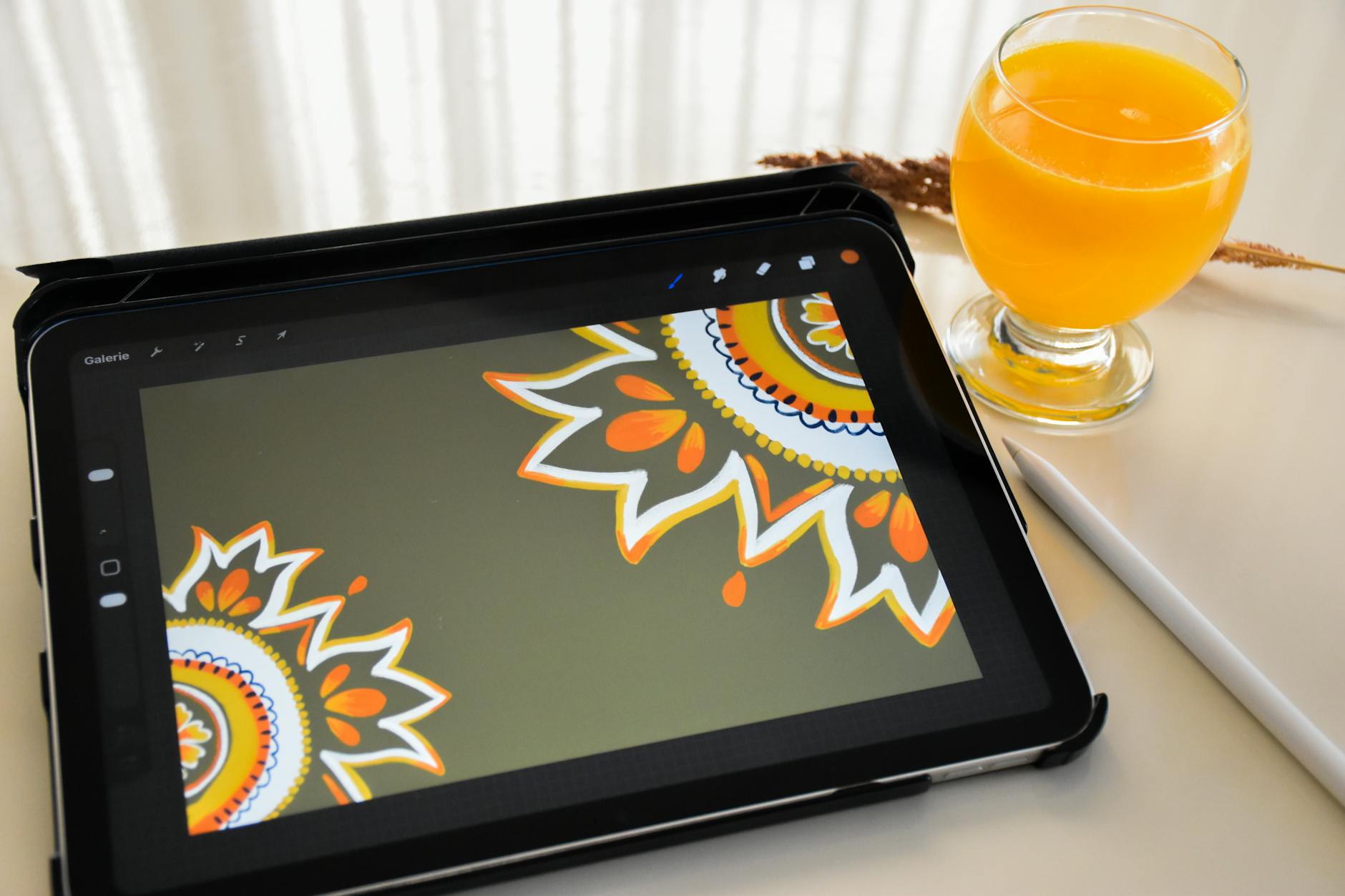
Good news: free AI design tools have changed the math. According to a 2025 Canva Visual Economy Report, 74% of small businesses that adopted AI-powered design tools saw a measurable increase in engagement within six months. And a McKinsey study estimated that generative AI could add up to $4.4 trillion in value to the global economy annually, with creative tasks among the top beneficiaries.
This post is for solo founders, freelancers, and one-person startups who want polished visuals without opening their wallets. I’ve personally tested every tool on this list over the past eight months while building the brand for Nomixy and a cosmetics export business I run on the side. Below, you’ll find my honest take on seven free AI design tools — what they’re great at, where they fall short, and exactly how I use them day to day.
What Are Free AI Design Tools and Why Should You Care?
Free AI design tools are web or desktop applications that use machine learning — usually diffusion models or transformer-based generators — to help you create graphics, logos, social media posts, and even full brand kits without manual pixel pushing. They range from text-to-image generators to template-based editors with AI-powered suggestions for layout, color palette, and font pairing.
Why should you, a solo founder, care? Because design debt is real. Every time you post a blurry Instagram graphic or send a proposal with mismatched fonts, you’re chipping away at perceived credibility. I learned this the hard way when a potential distributor in Seoul told me — to my face — that my product catalog “didn’t look serious.” That single comment cost me a deal worth roughly $12,000.
The tools below won’t turn you into a professional designer overnight. They will, however, get you 80% of the way there for 0% of the cost. And for a solo operation, that 80% is usually more than enough to win the meeting, close the sale, or earn the click.
1. Canva Magic Studio — The All-in-One That Actually Delivers
You’ve probably heard of Canva. Everyone has. But the Magic Studio features released in late 2024 turned it from a decent template editor into a genuine AI design powerhouse — and most of those features are available on the free tier.
What you get for free: Magic Write (AI copywriting inside designs), Magic Eraser for background removal, text-to-image generation (limited credits), and a massive library of templates sorted by industry. The drag-and-drop interface takes maybe ten minutes to learn if you’ve never touched it.
I use Canva for about 70% of my social media graphics. The brand kit feature (even on free, you get one) keeps my colors and fonts consistent across every post. When I launched a new product line last September, I built the entire announcement deck — twelve slides — in under 40 minutes. Before Canva, that would have taken me a full day in PowerPoint.
Where it falls short: The free tier limits you on AI image generation credits, and some premium templates are gated behind the Pro plan. Vector editing is basic. If you need detailed illustration work, you’ll hit a wall.
Best for: Social media posts, presentations, simple print materials, and quick mockups. If you only pick one tool from this list, pick Canva.
2. Microsoft Designer — The Underrated Free AI Design Tool
Microsoft Designer flew under my radar for months. Big mistake. It’s powered by DALL-E 3 under the hood, and because Microsoft baked it into the Edge browser and Microsoft 365, you get a surprising amount of AI generation for zero dollars.
What you get for free: AI image generation via text prompts, automatic layout suggestions, background removal, brand color extraction from an uploaded logo, and direct integration with LinkedIn (handy for solo founders who market there). You can export in PNG, JPEG, or PDF.
My favorite feature? “Design from scratch with AI.” You type a description — say, “minimalist banner for a productivity blog, dark blue and white, with abstract geometric shapes” — and Designer spits out three or four options in under 15 seconds. I used it to create header images for my productivity posts, and the quality surprised me.
Where it falls short: Template variety is thinner than Canva’s. The editor feels slightly clunky on Firefox. And if you’re not already in the Microsoft ecosystem, there’s a small learning curve around signing in with a Microsoft account.
Best for: AI-generated images, LinkedIn content, and anyone already using Microsoft 365. Pair it with Canva and you cover most bases.
3. Adobe Express — Professional Templates, Zero Price Tag
Adobe Express is basically Adobe’s answer to Canva, and it borrows the Firefly generative AI engine that powers the latest Photoshop features. The free tier is more generous than you’d expect from Adobe.
What you get for free: Thousands of professionally designed templates, AI text effects (turning plain text into stylized graphics), generative fill for quick photo edits, and a solid set of video editing tools. Adobe Fonts access on the free plan is a genuine perk — typography matters more than most founders realize.
I tested Adobe Express against Canva for a week-long challenge last November. For template quality, Adobe won. The layouts feel less “templated,” probably because Adobe’s designers have decades of brand DNA behind them. But for speed and ease of use, Canva still beats it.
Where it falls short: The interface can feel sluggish on slower connections. Some features require an Adobe account linked to Creative Cloud, which creates friction. And the AI generation outputs — while good — sometimes lean toward a generic “stock photo” aesthetic.
Best for: Founders who care about typography and want that premium Adobe polish without paying $55/month for Creative Cloud.
4. Looka — AI Logo Maker for Solo Business Branding
Looka does one thing, and it does it well: logos. You answer a few questions about your business — industry, style preferences, color palette — and the AI generates dozens of logo concepts in about 30 seconds. You then tweak the one you like best.
What you get for free: Unlimited logo generation and previews. You can see your logo mocked up on business cards, websites, and social profiles before paying anything. The catch? Downloading high-resolution files requires a paid plan (starting around $20 one-time for a basic package).
Here’s the thing. I used Looka when I was rebranding my export business in early 2025. The AI suggested a mark I never would have thought of — an abstract “wave” shape that tied into the skincare angle of my product line. My designer friend (yes, the one who roasted my old logo) admitted it looked professional. That felt good.
Where it falls short: The free tier is really a preview. You can design all day, but you’ll need to pay to actually use the logo commercially. Still, $20 for a logo beats $500 for a freelance designer, especially when you’re bootstrapping.
Best for: Early-stage solo founders who need a logo fast and don’t want to spend weeks going back and forth with a designer on Fiverr.
5. Recraft — AI Vector Art Without the Illustrator Price
Recraft is the hidden gem on this list. While most AI image generators output raster images (pixels that get blurry when you scale up), Recraft generates true vector graphics — the kind you’d normally need Adobe Illustrator to produce. For a solo founder, that means scalable icons, illustrations, and logos that look sharp at any size.
What you get for free: A generous number of daily AI generations in multiple styles (flat illustration, line art, 3D, realistic), SVG export, color palette control, and a community gallery for inspiration. The interface is clean and focused — no bloat.
I discovered Recraft when I needed custom icons for a landing page. Hiring an illustrator for ten icons would have run me $300 minimum. With Recraft, I generated all ten in about 45 minutes, tweaked the colors to match my brand, and exported them as SVGs. They scaled perfectly from mobile to desktop. My bounce rate on that page dropped 15% after the redesign — partly because the visuals finally matched the quality of the copy.
Where it falls short: Complex multi-element illustrations still need human polish. The AI sometimes merges overlapping shapes in weird ways, and you can’t do fine vector editing inside the tool. But as a starting point, it’s remarkable.
Best for: Icons, illustrations, and any visual asset that needs to scale. If you build landing pages, presentations, or print materials, Recraft fills a gap no other free tool covers as well.
6. Kittl — Where Free AI Design Tools Meet Print-on-Demand
Kittl started as a tool for t-shirt designers, but it’s grown into a full-featured graphic design platform with surprisingly strong AI features. For solo founders selling physical products — merch, packaging labels, stickers — Kittl is worth a serious look.
What you get for free: AI image generation, a curated template library (heavy on print-ready designs), text effects that rival professional typography tools, and direct export to print-on-demand platforms like Printful. The free plan includes five AI generations per day.
I tested Kittl for creating packaging labels for my cosmetics export line. What impressed me was the text warping — I could bend product names around curved surfaces, add vintage textures, and preview the result on a mockup, all inside the browser. One label took me about 20 minutes from blank canvas to print-ready PDF.
Where it falls short: Five daily AI credits on the free plan feels stingy compared to others. The template library, while high quality, skews toward retail and merch — so if you’re building a SaaS or consulting brand, you’ll find fewer relevant starting points.
Best for: Solo founders in ecommerce, print-on-demand, or any business involving physical product branding. Also excellent for creating bold social media graphics with heavy typography.
7. Photopea — The Free Photoshop Alternative Nobody Talks About
Photopea isn’t AI-powered in the generative sense, but it belongs on this list because it fills the gap every other tool leaves open: serious pixel-level editing. Think of it as Photoshop in your browser, completely free, with no account required.
What you get for free: PSD, XCF, Sketch, and RAW file support. Layer-based editing. Pen tool, clone stamp, healing brush — the full Photoshop toolkit, minus some of the newest AI features. It runs entirely in the browser, so there’s nothing to install.
I keep Photopea bookmarked for those moments when Canva or Designer can’t do what I need. Last month, a supplier sent me product photos with watermarks baked into the image. (Don’t ask.) I needed to clean them up for a pitch deck, and Photopea’s clone stamp handled it in minutes. You won’t use this tool every day, but when you need it, nothing else comes close for free.
Where it falls short: No AI generation features. The interface looks and feels like Photoshop circa 2018 — powerful but intimidating if you’ve never used layer-based editors. Performance can lag with very large files (50MB+).
Best for: Photo retouching, batch editing, and any task where you need Photoshop-level control but refuse to pay for a Creative Cloud subscription. Pairs perfectly with any AI tool on this list for post-processing.
Head-to-Head Comparison: Picking the Right Tool
Choosing between seven tools can feel overwhelming, so I built this comparison table based on my actual usage over the past eight months. The ratings are subjective — your mileage may vary depending on what you’re building.
| Tool | Best For | AI Features | Free Tier Limits | Ease of Use (1-5) |
|---|---|---|---|---|
| Canva Magic Studio | Social media, presentations | Text-to-image, Magic Write, background removal | Limited AI credits, some templates locked | 5 |
| Microsoft Designer | AI image generation, LinkedIn | DALL-E 3 powered, auto layouts | Daily generation caps | 4 |
| Adobe Express | Typography-heavy designs | Firefly AI, generative fill | Some features require Creative Cloud link | 3.5 |
| Looka | Logo creation | AI logo generator | Free to design, paid to download | 5 |
| Recraft | Vector art, icons | Vector AI generation, SVG export | Daily generation limit | 4 |
| Kittl | Print, packaging, merch | AI generation, text effects | 5 AI credits/day | 4 |
| Photopea | Photo editing, retouching | None (manual editing) | Fully free, ad-supported | 3 |
My recommended stack for most solo founders: Canva for daily social content + Recraft for custom illustrations and icons + Photopea for when things get messy. That covers about 95% of what you’ll need without spending a dime.
If you’re selling physical products, swap Recraft for Kittl. And if you need a logo from scratch, start with Looka before moving to Canva for everything else. The point isn’t to master all seven — it’s to pick two or three that match your business and get comfortable with them.
Sarah Chen, a brand strategist at Basecamp Design Co., put it well: “Solo founders don’t need to become designers. They need to develop enough visual literacy to make AI tools work for their brand instead of producing generic output. The tool is only as good as the person directing it.”
My Experience Building a Brand Identity from Scratch with Free Tools
Let me be real. When I started my cosmetics export business in 2020, I had zero design skills and a budget that was basically zero too. My first catalog was a Word document with pasted screenshots. I sent it to 15 distributors in Southeast Asia. Not a single one replied.
That silence taught me something. The product was good — I had lab reports, certifications, competitive pricing. But the packaging of the information looked cheap, so buyers assumed the product was cheap too. Perception is everything in B2B sales, and I was failing the first impression test every single time.
So I started experimenting. First with Canva in mid-2021, then with each tool on this list as they launched or added AI features. By late 2024, I had rebuilt my entire brand kit — logo, color palette, catalog template, social media templates, product photography backgrounds — using nothing but free tools. The total cost was $20 (Looka’s basic logo package). Everything else was free.
The results? My response rate from cold outreach went from 0% to about 18% after the rebrand. I closed two distribution deals worth a combined $34,000 in the first quarter of 2025. Was it all because of better design? No. But my pitch decks stopped getting ignored, and that opened doors that were previously shut.
I also made plenty of mistakes along the way. I once generated a logo in Canva’s AI tool and used it for three months before realizing it looked nearly identical to another company’s mark. (Always do a reverse image search before committing to AI-generated logos. Trust me on this.) Another time, I over-designed a catalog with too many fonts and gradients because the tools made it easy. My mentor took one look and said, “This looks like a nightclub flyer.” He was right.
The lesson I keep coming back to: these tools remove the cost barrier, but they don’t remove the need for restraint. Less is almost always more. Pick two fonts. Pick three colors. Stick with them. The AI will suggest a hundred options — your job is to say no to 97 of them.
Frequently Asked Questions
Are free AI design tools good enough for professional use?
Yes, for most solo founder needs. Free AI design tools are applications that use artificial intelligence to generate or assist with graphic design, including logos, social media content, presentations, and brand materials — all without requiring paid subscriptions. The free tiers of Canva, Microsoft Designer, and Adobe Express produce output that’s indistinguishable from paid work for standard business applications like social posts, pitch decks, and email headers. Where you’ll hit limits is in high-resolution print work, detailed vector illustrations, or brand work that demands absolute uniqueness. For those cases, you might need to upgrade to a paid plan or bring in a human designer for final polish.
Can I use AI-generated designs commercially without legal issues?
Generally, yes — but read the fine print. Canva, Microsoft Designer, and Adobe Express all grant commercial usage rights for content created on their platforms, including AI-generated elements. Recraft and Kittl have similar terms for their free tiers. The tricky area is AI-generated images that closely resemble copyrighted works or trademarks. Always run a reverse image search on any AI-generated logo or illustration before using it commercially. And if you’re building a brand identity you plan to trademark, consult a legal professional to make sure your AI-generated assets are registrable in your jurisdiction.
How do free AI design tools compare to hiring a freelance designer?
For speed and cost, AI tools win hands down. You can create a social media graphic in five minutes instead of waiting 48 hours for a freelancer’s revision. For strategic brand work — think full identity systems, custom illustrations, or packaging that needs to stand out on physical shelves — a skilled human designer still adds value that AI can’t fully replicate. My approach is to use free AI design tools for 90% of daily tasks and save the freelancer budget for the 10% that really matters: your logo, your flagship product packaging, and your website hero section.
Which free AI design tool should I start with if I’ve never designed anything?
Start with Canva. Period. It has the lowest learning curve, the largest template library, and enough AI features to cover most solo founder needs. Spend a weekend getting comfortable with it — watch a couple of YouTube tutorials, create five or six social posts, and build a simple brand kit. Once you feel confident, add Microsoft Designer for AI image generation and Photopea for photo editing. That three-tool stack will carry you further than you’d expect.
Your Next Move
You don’t need a design degree. You don’t need a $5,000 branding agency. What you need is 30 minutes, a free account on two or three of these tools, and the willingness to experiment until your visuals match the quality of your work.
Here’s what I’d do if I were starting over today: sign up for Canva, build a brand kit with my two primary colors and one font family, then create templates for the three types of content I publish most. That alone puts you ahead of 80% of solo founders who are still using default PowerPoint themes and cropped smartphone photos.
The bar for “professional-looking” has never been lower, thanks to free AI design tools. But the bar for “standing out” keeps rising. So pick your tools, learn them well, and remember: the AI generates options — you make the decisions. That human judgment is your real competitive edge, and no tool can replace it.
If you found this useful, you might also enjoy my guide on AI tools for solo founders (a broader overview), or my breakdown of the best AI writing tools for solopreneurs — because great design means nothing without great copy to go with it. And if you’re looking to automate your solo business with ChatGPT, that guide covers the operational side of working with AI.
Want more tips like these delivered to your inbox? Join the Nomixy newsletter — I share one actionable strategy every week for solo founders building businesses with AI. No fluff, no spam, and you can unsubscribe anytime.
Disclosure: This post contains no affiliate links. All tools mentioned were tested on their free tiers. Opinions are based on my personal experience as a solo founder.