Email still returns more per dollar than almost any other marketing channel. Litmus’s widely cited research puts the average at around $36 back for every $1 spent — and yet plenty of solo business owners treat their list as an afterthought, polishing a landing page for hours and then firing off a newsletter written in a rushed fifteen minutes.
The reason is obvious when you run everything yourself: a genuinely good email campaign takes time you don’t have. That’s where AI email marketing tools have become useful — not for spitting out robotic blasts, but for handling the structural drafting so you can spend your limited time on the parts only you can do. This post breaks down five tools worth your attention in 2026, with current pricing, where each one fits, and where it falls short.
In This Article

Why AI Email Tools Matter for Solo Founders
The defining constraint of a one-person business is that every hat lands on the same desk: marketing, sales, operations, support, fulfillment. Email is one of those recurring tasks that’s easy to deprioritize precisely because it’s not urgent — until you realize a neglected list is leaving money on the table.

AI email tools help by giving you a running start rather than replacing your judgment. They draft subject lines, produce first-pass body copy, suggest send times, and segment your audience — the mechanical parts. What they can’t do is supply the specific, lived detail that makes an email feel like it came from a real person. That part is still yours, and it’s the part that actually builds a relationship with a reader.
The other thing worth saying up front: not all “AI email” is equal. Some platforms bolted a generator onto an old product; others designed around it. The output quality differs, and so does where the AI sits in each pricing tier — which is exactly what trips people up in 2026.
5 AI Email Marketing Tools Worth Considering in 2026
1. Beehiiv — Best Overall for Newsletter-First Creators
Beehiiv is built around newsletters, and its AI tools go beyond autocomplete: you can describe a section, set a tone and length, and get a usable draft, then rewrite, shorten, extend, or change tone on any block. There’s also an AI image generator and an AI translator built into the editor — useful if, like me, you write for readers in more than one language.
Pricing (2026): The free Launch plan covers up to 2,500 subscribers with unlimited sends. Per Beehiiv’s pricing page, the Scale plan starts at $49/month and is the tier that unlocks AI, monetization, surveys, and A/B testing; Max starts at $109/month.
Best for: Creators who want a clean, modern, newsletter-first platform.
Downside: Light on traditional drag-and-drop visual email building — if you want image-heavy template layouts, you’ll feel boxed in.
2. Kit (formerly ConvertKit) — Best for Automation
Kit rebranded from ConvertKit and has been adding AI steadily. Its writing assist is solid for drafting, but the real strength is automation: you can describe a sequence in plain language — “send a welcome email, wait two days, then send a case study if they clicked the first one” — and build the flow around it. For anyone selling digital products or courses, the commerce features plus AI copy make it a strong pick.
Pricing (2026): The free Newsletter plan is generous — up to 10,000 subscribers with unlimited sends, forms, and landing pages, though limited to one automation and one sequence. Per Kit’s pricing page, the Creator plan starts at $39/month for 1,000 subscribers ($33/month billed annually) and unlocks unlimited automations and sequences.
Best for: Creators selling products who want capable automation without enterprise complexity.
Downside: AI writing is better for short emails and sequences than for long-form content.
3. MailerLite — Best Budget Starting Point
MailerLite remains one of the easiest, cheapest ways to run a real email operation — but two 2026 changes matter. First, the free plan was reduced to 500 subscribers (down from 1,000 in September 2025). Second, and more important for this list: the AI writing assistant is no longer on the free or entry tiers. Per MailerLite’s pricing page, it now sits on the Advanced plan. So if AI drafting is your reason for choosing a tool, MailerLite’s free tier won’t deliver it the way it used to.
Pricing (2026): Free up to 500 subscribers (no AI writer). Growing Business starts at $10/month; Advanced starts at $20/month and is the tier that includes the AI writing assistant.
Best for: Budget-conscious beginners who want a clean, full-featured editor and will upgrade to Advanced when they want AI.
Downside: The AI is more of a brainstorming partner than a ghostwriter, and it’s now behind a paywall.
4. ActiveCampaign — Best for Advanced Automation and Segmentation
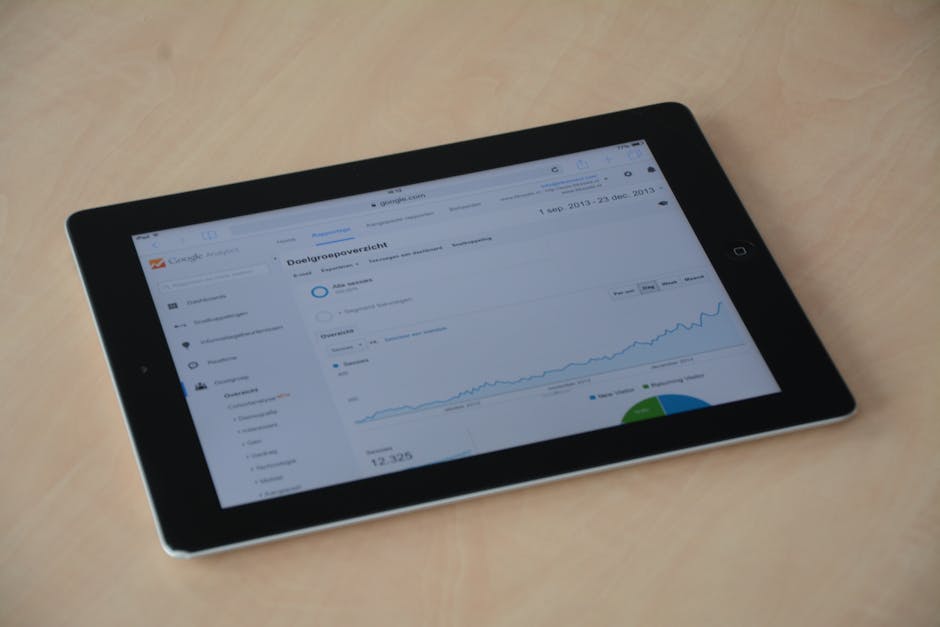
ActiveCampaign is the most powerful — and the most complex — tool here. Its AI generates copy, predicts optimal send times, scores leads, and can build conditional content that changes based on who’s reading. If you have a larger list and want genuinely granular campaigns, it’s the deepest toolkit on this list.
Pricing (2026): No free plan — there’s a 14-day trial. Per ActiveCampaign’s pricing page, the Starter plan begins around $15/month (limited automation), and the Plus tier — where the meaningful AI and automation features live — starts at $49/month annually.
Best for: Solo operators with growing lists who want enterprise-grade automation.
Downside: A real learning curve. Expect to invest time setting up your first automations before it pays off.
5. Mailchimp — Best for Existing Users
Mailchimp‘s AI features were unimpressive early on but have improved: the content generator produces decent first drafts and the subject-line tools have gotten better. Its real advantage is familiarity — if you already know Mailchimp, the AI slots into a workflow you don’t have to relearn.
Pricing (2026): Note the free plan shrank — it now covers 250 contacts (down from 500) with a 500-email monthly cap. Per Mailchimp’s pricing page, Essentials starts at $13/month and Standard at $20/month, with costs scaling as your contact count grows.
Best for: People already on Mailchimp who’d rather not migrate.
Downside: The free plan is tight now, and the AI still trails Beehiiv and ActiveCampaign on output quality.
Side-by-Side Comparison
| Tool | Free Plan | AI On Free? | Best Feature | Paid From | Learning Curve |
|---|---|---|---|---|---|
| Beehiiv | Up to 2,500 subs | No (Scale+) | AI newsletter drafts | $49/mo (Scale) | Low |
| Kit | Up to 10,000 subs | Limited | AI automation builder | $39/mo (Creator) | Low–Medium |
| MailerLite | Up to 500 subs | No (Advanced) | Clean editor, low cost | $10/mo (Growing) | Low |
| ActiveCampaign | 14-day trial | Trial only | Predictive send + segmentation | $15/mo (Starter) | High |
| Mailchimp | Up to 250 contacts | Limited | Brand familiarity | $13/mo (Essentials) | Low |
Pricing and plan limits in this table reflect each vendor’s published rates at the time of writing. Email platforms change tiers often — particularly which features sit behind which plan — so always confirm on the official site before you commit.
How to Pick the Right Tool

Five tools, five strengths. Three questions get you to the right one faster than any feature chart.
What’s your budget right now? If it’s zero, Kit’s free Newsletter plan (up to 10,000 subscribers) is the most generous starting point, and Beehiiv’s free Launch tier is excellent if you’re newsletter-focused. Just remember the AI features generally require a paid plan — the free tiers get you a real email operation, not necessarily AI drafting.
How big is your list? Under 1,000 subscribers, almost any of these will do. Between 1,000 and 10,000, Kit and Beehiiv hit the best balance of AI quality and price. Past 10,000 — or when you need serious segmentation — ActiveCampaign’s depth starts to justify the complexity.
Do you sell products, publish content, or both? Selling courses or digital products points to Kit, built around commerce and sequences. Pure audience-building points to Beehiiv’s newsletter-first design. Needing both at scale points to ActiveCampaign.
Don’t overthink the migration, either. Importing a list and setting up a first campaign is usually a same-afternoon job on any of these. If you’re also assembling the rest of your writing stack, the best AI writing tools for solopreneurs pairs well with whichever email platform you land on.
Practical Tips for Better AI-Assisted Email
Write or heavily edit your own subject lines. In practice the AI tends to be stronger at body copy than headlines, and generic subject lines (“Unlock Your Potential…”) read like spam and tank open rates. The subject line is worth your manual attention.
Set up a welcome sequence before you chase broadcasts. New subscribers who arrive to silence, then a random newsletter, churn fast. A short AI-assisted welcome sequence gives them context and a reason to stay — it’s the highest-leverage automation a solo list can have.
Actually read your analytics. Open rate, click rate, and send-time data are right there in every tool on this list. AI saves you drafting time; the analytics tell you whether the emails are working and when your audience actually opens them. Don’t skip that loop just because the writing got faster.
Make your prompts specific. “Write a newsletter about [topic]” produces samey output. “Write a 250-word section on [topic], open with a question, leave a placeholder for one personal anecdote, end with a clear call to action” produces something you can ship. This holds for free AI tools generally, not just email.
Final Thoughts
AI email tools won’t transform your business overnight. What they will do is give back hours each week and help you send emails people actually read. If you’ve been avoiding email because it takes too long, the move is simple: start on a free tier, draft your first AI-assisted email this week, edit it until it sounds like you, send it, then read the data and adjust.
The tools are better than skeptics expect — but they still need you. Your stories, your expertise, your specifics are what turn a competent email into one that builds a real relationship with a reader. And because pricing and plan structures shift constantly, treat every figure here as a starting point and confirm the current rate on each official site before you subscribe.