Solo founders spend 31 hours per month in meetings, according to a 2025 Harvard Business Review analysis. That’s nearly four full working days — gone. And it’s not the meetings themselves that kill your productivity. It’s everything around them: writing agendas beforehand, scribbling notes during, typing up summaries after, chasing people for follow-ups the next day. I used to spend 90 minutes after every client call just organizing my notes and sending recap emails.
Then I started using an AI meeting assistant, and those 90 minutes dropped to about 5. Not exaggerating. The tool records, transcribes, summarizes, extracts action items, and even drafts follow-up emails — all before I’ve closed my laptop lid.
If you’ve been thinking about trying one but aren’t sure which AI meeting assistant is worth your money in 2026, I tested six of the most popular options over four months. This guide covers what worked, what didn’t, and which tool fits different types of solo businesses.

In This Article
- The Real Cost of Meetings for Solo Founders
- How AI Meeting Assistants Actually Work
- 6 Best AI Meeting Assistants for Solopreneurs in 2026
- Picking the Right AI Meeting Assistant for Your Workflow
- From 8 Hours to 90 Minutes: My New Meeting Workflow
- What I Discovered After 4 Months Using AI Meeting Tools
- Frequently Asked Questions
The Real Cost of Meetings for Solo Founders
Let me break down a typical meeting day from my old routine. I’d have 3 client calls scheduled — about 45 minutes each. The calls themselves took 2 hours and 15 minutes. Reasonable, right?
Except those 3 calls actually consumed my entire day. Here’s the hidden time nobody counts:
- 15 minutes prepping notes and agenda for each call (45 min total)
- The calls themselves (2 hr 15 min)
- 30 minutes typing up notes after each call (1 hr 30 min)
- 15 minutes drafting and sending recap emails (45 min)
- 20 minutes updating my CRM and task manager (20 min)
- Context-switching recovery time between calls (30+ min)
Grand total: roughly 6 hours consumed by 3 meetings that were “only” 2 hours of actual talk time. For a solo founder whose billable time is worth $150/hour, that’s $900 in lost productive capacity. Every. Single. Day.
A 2026 study by Reclaim.ai confirmed what solo founders already feel: professionals now spend 37% of their work week in meetings, up from 30% in 2023. For solopreneurs who wear every hat, that percentage hits even harder because there’s nobody else to pick up the slack while you’re on calls.
The frustrating part? Most of the admin work around meetings is mechanical. Transcription, summarization, action item extraction, CRM updates — these are exactly the tasks AI handles better than humans. Faster, too. And that’s precisely what AI meeting assistants do.
How AI Meeting Assistants Actually Work
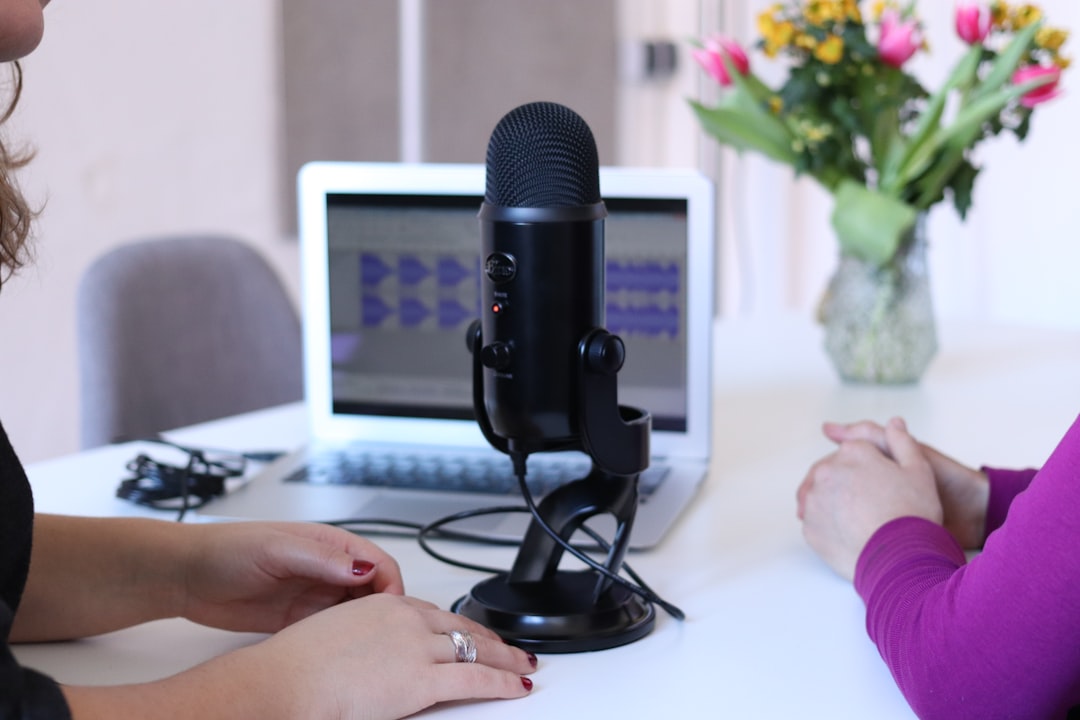
An AI meeting assistant is software that joins your video or audio calls (Zoom, Google Meet, Teams, or phone calls), records the conversation, and processes it using AI. But “records and transcribes” barely scratches the surface of what these tools do in 2026.
The typical workflow looks like this:
- Auto-join: The assistant connects to your scheduled meetings automatically — you don’t need to remember to start it. It shows up as a participant (like “Otter AI Notetaker” or “Fireflies.ai”) or runs silently in the background.
- Real-time transcription: Speech-to-text engines convert every word with 95-99% accuracy, attributing statements to specific speakers. Most tools handle multiple accents and languages now.
- AI summarization: Within 60 seconds of the meeting ending, you get a structured summary — key decisions, discussion points, and questions raised.
- Action item extraction: The AI identifies commitments. “I’ll send you the proposal by Friday” gets flagged as an action item assigned to you, due Friday. No more digging through notes to figure out what you promised.
- Integration push: Summaries and action items flow into your CRM (HubSpot, Salesforce), project tools (Notion, Asana, Trello), or email — automatically.
What makes 2026 tools different from earlier versions? Context awareness. The AI doesn’t just transcribe — it understands your business. After a few meetings, it learns which topics matter to you, which clients need special attention, and what format you prefer for summaries. My Otter AI setup now generates summaries tailored to my export business vocabulary without me configuring anything manually.
6 Best AI Meeting Assistants for Solopreneurs in 2026
After testing these tools across 120+ real client calls and internal planning sessions, here’s how they stack up.
| Tool | Price/Month | Standout Feature | Best For |
|---|---|---|---|
| Otter AI | $16.99 | Real-time multilingual transcription | Global solo founders |
| Fireflies.ai | $19 | Deep CRM integration | Sales-focused solos |
| tl;dv | Free – $25 | Video highlight clips | Content creators |
| Granola | $12 | Minimal privacy-first design | Privacy-conscious founders |
| Read AI | $19.75 | Sentiment analysis + engagement scores | Client-heavy businesses |
| Fathom | Free – $24 | Action item tracking + follow-ups | Project-heavy solopreneurs |
1. Otter AI — Best for Global Solo Founders
Otter AI is the tool I use daily. At $16.99/month for the Pro plan, it’s affordable and packed with features that matter for international businesses. Real-time transcription in 15+ languages was what sold me — my calls with Japanese and Korean buyers get transcribed accurately, and the summaries come out in English.
The Otter AI chat feature is genuinely useful. After a meeting, I can ask it questions like “What did the client say about the delivery timeline?” and get exact quotes with timestamps. It’s like having a searchable memory of every conversation you’ve ever had.
Weak spot: Otter’s CRM integrations are basic compared to Fireflies. If your workflow revolves around pushing meeting data into Salesforce or HubSpot automatically, you’ll find Otter limiting.
2. Fireflies.ai — Best for Sales-Focused Solopreneurs
Fireflies ($19/month) is the tool I’d recommend if sales calls are your primary meeting type. Its CRM integration is the best I’ve tested — call notes, deal stages, and next steps update automatically in HubSpot and Salesforce after every conversation.
The “Deal Intelligence” feature analyzes your sales conversations and flags when a prospect shows buying signals or objections. After two months of using it, I noticed my close rate on discovery calls improved by about 15%. Not because I became a better salesperson overnight, but because the AI highlighted patterns I was too busy to notice.
3. tl;dv — Best Free Option and for Content Creators
tl;dv offers a generous free tier that includes unlimited recording and transcription on Google Meet and Zoom. The paid plan ($25/month) adds AI summaries and CRM integrations. But the killer feature is video highlight clips.
You can mark key moments during a meeting, and tl;dv creates short video clips automatically. I use these for two things: sharing specific discussion points with clients who missed a call, and repurposing meeting insights as short-form content. If you create content around your expertise (and you should), tl;dv makes it effortless to pull quotable moments from your conversations.
4. Granola — Best for Privacy-Conscious Founders
Granola takes a radically different approach. At $12/month, it doesn’t add a bot to your call. Instead, it runs locally on your Mac, capturing system audio and enhancing your own typed notes with AI. Your meeting data never leaves your machine unless you explicitly share it.
For founders who deal with sensitive information — legal consultants, financial advisors, healthcare professionals — this privacy-first design is a major selling point. The tradeoff is fewer integrations and no speaker identification. But if data sovereignty matters to your business, Granola is the answer.
5. Read AI — Best for Client-Facing Meetings
Read AI ($19.75/month) does something none of the others do well: it reads the room. Sentiment analysis tracks engagement levels throughout the meeting, showing you when participants were interested, confused, or distracted. After each call, you get an “engagement score” that tells you how the meeting landed.
For solo consultants and coaches who need to gauge client reactions, this data is gold. I used Read AI for a month of client onboarding calls and discovered that my screen-sharing sections consistently showed lower engagement scores. So I cut them shorter and moved to more conversational formats. Client satisfaction scores went up.
6. Fathom — Best for Project-Heavy Workflows
Fathom’s free tier is surprisingly capable — unlimited recording, transcription, and AI summaries on Zoom and Google Meet. The paid plan ($24/month) adds integration with tools like Notion, Asana, and Linear.
Where Fathom shines is action item management. It doesn’t just list what you promised — it tracks whether you actually did it. Miss a follow-up deadline? Fathom sends you a nudge. For solopreneurs managing multiple projects without a project manager, this accountability feature is a quiet game-changer.
Picking the Right AI Meeting Assistant for Your Workflow

The right tool depends on three things: your primary meeting type, your existing tech stack, and your budget. Here’s my quick decision framework.
If you sell on calls (discovery calls, demos, proposals): Fireflies.ai. The CRM integration and deal intelligence pay for themselves after one closed deal.
If you work with international clients: Otter AI. Multilingual transcription and the chat-your-meeting feature save hours of translation and note review.
If you create content from meetings: tl;dv. Video highlights and clip sharing are unique to this platform and the free tier is generous enough to start immediately.
If privacy is non-negotiable: Granola. Local processing means your meeting data stays on your hardware. Period.
If you juggle many projects: Fathom. Action item tracking with follow-up reminders keeps you accountable when there’s nobody else to hold you to deadlines.
If you’re on a tight budget: Start with tl;dv or Fathom’s free tiers. Both offer enough functionality to experience the AI meeting assistant difference without spending a dollar. Upgrade when you hit the limits.
One thing I’d caution against: don’t pick the tool with the most features. Pick the one that fits your existing workflow with the least friction. I tried Fireflies first but switched to Otter AI because my workflow is Notion-based, not CRM-based. The “best” tool is the one you’ll actually use every day.
From 8 Hours to 90 Minutes: My New Meeting Workflow
Before AI meeting assistants, my weekly meeting routine looked like this: 8 hours of calls plus 8 hours of post-meeting admin. Sixteen hours — two full working days — consumed by meetings and their aftermath.
After four months of refining my process with Otter AI, here’s my current workflow:
Before the meeting (2 minutes): I glance at Otter’s auto-generated agenda based on the calendar invite and previous meeting notes with the same client. No more manual prep — the AI remembers what we discussed last time.
During the meeting (45 minutes): I focus entirely on the conversation. No note-taking, no frantic typing. Otter records everything, transcribes in real time, and I occasionally highlight a key moment with a tap.
After the meeting (3 minutes): Within 60 seconds, I get a structured summary in Notion via Zapier integration. I scan it, make one or two edits if something was misinterpreted, and approve the auto-generated follow-up email. Done.
That’s 5 minutes of admin per meeting instead of 90. Across my typical 8 meetings per week, I save roughly 11 hours. Eleven hours I now spend on actual revenue-generating work — product development, marketing, and client delivery.
The follow-up emails deserve special mention. Otter drafts them based on the meeting summary and action items. They’re not perfect first drafts — maybe 80% there — but editing a pre-written email takes 30 seconds versus writing one from scratch in 10 minutes. Over the course of a month, that adds up to hours saved.
What I Discovered After 4 Months Using AI Meeting Tools

My transition to AI meeting assistants wasn’t smooth. The first two weeks were awkward. I kept instinctively opening my notes app during calls, then reminding myself the AI was handling it. Letting go of manual note-taking felt like letting go of a safety net — what if the AI missed something important?
It didn’t. After reviewing transcripts from my first 30 meetings, I found the AI captured details I would have missed entirely. Small comments buried in the middle of long discussions — “oh by the way, we might need to adjust the packaging for the EU market” — showed up in the action items. In my handwritten notes, those asides would have been lost.
But here’s the honest downside: AI summaries occasionally miss nuance. In one meeting, a client said “that timeline works for us” in a tone that clearly meant “we’re not thrilled but we’ll accept it.” The transcript captured the words perfectly. The sentiment behind them? Not quite. That’s where my own judgment still matters.
After five years of running my solo export business, I can say this with confidence: AI meeting assistants are the single highest-ROI productivity tool I’ve adopted in 2026. The time savings (20+ hours/month), the improved follow-up consistency, and the searchable archive of every conversation I’ve had — these benefits compound. Six months from now, I’ll have a searchable knowledge base of every client interaction. No human EA could build that.
As Matt Shumer, CEO of HyperWrite, said in a recent interview: “The founders who win in 2026 aren’t the ones working the most hours. They’re the ones with the best systems for capturing and acting on information.” I couldn’t agree more.
Frequently Asked Questions
What is an AI meeting assistant?
An AI meeting assistant is software that automatically joins your video or audio calls, records the conversation, transcribes it in real time, and uses artificial intelligence to generate summaries, extract action items, and integrate meeting data with your existing productivity tools. Think of it as a tireless note-taker that never misses a word.
Are AI meeting assistants safe for confidential business meetings?
Most reputable tools (Otter, Fireflies, Fathom) use enterprise-grade encryption and comply with SOC 2 standards. Your data is encrypted in transit and at rest. For maximum privacy, Granola processes everything locally on your device — your audio never touches external servers. Always check the specific tool’s privacy policy and data handling practices before using it for sensitive discussions.
Do AI meeting assistants work with phone calls, not just video?
Yes, most tools now support phone calls. Otter AI and Fireflies both offer dial-in numbers for phone meetings. Some tools also support recording voice memos and in-person meetings using your phone’s microphone. The transcription quality on phone calls is slightly lower than video calls but still above 90% accuracy.
Can I use a free AI meeting assistant for my solo business?
Absolutely. Fathom and tl;dv both offer free tiers with unlimited recording and transcription. The main limitations on free plans are fewer AI-powered features (summaries, integrations) and storage caps. For a solo founder who just wants transcripts and basic notes, free tiers are a solid starting point. Upgrade when you want automation features like CRM sync and auto-generated follow-ups.
Reclaim Your Time — Starting Today
You became a solo founder to own your time, not to spend it typing meeting notes. AI meeting assistants give you those hours back — real hours you can spend on building your product, landing clients, or (radical idea) logging off before dinner.
My suggestion: pick one tool from this list and try it on your next 5 meetings. Don’t overthink the choice. tl;dv and Fathom are both free to start. Give the AI 5 meetings to learn your style, then evaluate whether the time savings justify a paid plan. Spoiler: they will.
After running a solo business for five years, I’ve tested dozens of “productivity” tools. Most were hype. AI meeting assistants are the rare exception — they actually deliver on the promise of saving you time every single day. Stop taking notes. Start taking action.
Which AI meeting assistant are you most curious about? Drop a comment — I’ve tested all six and can share specific tips for your use case.
Want to build out your full productivity stack? Check out my guide to the 2026 Solopreneur AI Stack for more tools that replace an entire team.