A full-time marketing hire costs $4,500 a month at minimum. A decent virtual assistant runs $1,500. Add a designer and a bookkeeper, and you’re looking at a payroll north of $10,000 before you’ve sold a single thing. I know because I tried it — briefly — and burned through cash faster than I could close deals.
Then I rebuilt everything around AI tools. My monthly software bill dropped to $87. And my output? It actually went up. According to Metaintro’s 2026 analysis, AI tools now automate 10% to 40% of a solopreneur’s workday — handling content, customer support, and admin without any human involvement. That’s not a marginal improvement. That’s a structural shift in how one-person businesses operate.
This article is for solo founders who want to build a complete solopreneur AI stack in 2026 without wasting money on tools they’ll never use. I’ll walk you through the exact categories, my personal picks, what I actually pay, and the mistakes that cost me time before I figured this out.

In This Article
- Why Your Solopreneur AI Stack Matters More Than Your Product
- The 5 Layers of a Complete AI Stack
- Layer 1: AI Writing and Content Creation
- Layer 2: Automation and Workflow
- Layer 3: Design and Visual Content
- Layer 4: Finance and Admin
- Layer 5: Analytics and SEO
- Full Stack Cost Comparison: Traditional Team vs. AI Stack
- My Experience Building a Solopreneur AI Stack From Scratch
- Frequently Asked Questions
Why Your Solopreneur AI Stack Matters More Than Your Product
Here’s something nobody wants to hear. In 2026, your product alone won’t save you.
A decade ago, building a tech company meant raising capital, hiring developers, and spending months on launch. Today, according to PrometAI’s research, a complete solopreneur stack operates between $3,000 and $12,000 annually — a 95% to 98% cost reduction compared to traditional staffing. That gap is enormous. And it means the founders who pick the right tools get a speed advantage that compounds week after week.
Most products don’t fail because they’re bad. They fail because nobody sees them. Building is the easy part now. Distribution, content, and staying visible — that’s the real bottleneck. Your AI stack determines how fast you move through that bottleneck.
So instead of asking “what should I build?”, start asking: “what system am I using to get my work in front of people every single day?” Because that system — your solopreneur AI stack — is what separates the founders who grow from the ones who stay stuck.
The 5 Layers of a Complete Solopreneur AI Stack
I’ve tested dozens of tools over the past two years. Most were mediocre. A few were great. And the pattern that emerged was clear: the best solopreneur AI stacks in 2026 aren’t built around individual apps. They’re built around layers.

Each layer handles a specific business function. You pick one primary tool per layer — maybe a backup — and you move on. The five layers are: content creation, automation, design, finance, and analytics. If you cover all five, you’ve got a stack that can run circles around a traditional team.
The biggest mistake I see? Solopreneurs who subscribe to 10-15 tools, use each one at 20% capacity, and wonder why nothing feels efficient. Three tools used deeply will always beat twelve tools used shallowly. Keep that in mind as we go through each layer.
Layer 1: AI Writing and Content Creation
Content is the engine. Without it, your business is invisible. And in 2026, AI writing tools handle the heavy lifting that used to take hours — blog drafts, email sequences, social posts, client proposals.
My pick: Claude for long-form writing and strategic thinking, plus ChatGPT as a secondary tool for quick-turn tasks. I use Claude for blog posts, product descriptions, and anything that requires depth. ChatGPT fills the gaps — brainstorming headlines, rewriting subject lines, drafting social copy.
Why not just one? Because they’re good at different things. Claude handles long documents and complex reasoning without losing the thread. ChatGPT is faster for short bursts and has better plugin support for specific tasks. Paying for both runs about $40/month total — and that’s the most expensive layer in my stack.
The free tiers work too, by the way. If you’re just starting out, Claude free and ChatGPT free cover most solopreneur needs. Upgrade when you hit the rate limits, not before.
What I don’t recommend: Jasper, Rytr, or any specialized “marketing copy” AI. They all use the same underlying models as Claude and ChatGPT, but charge you extra for templates you can build yourself in five minutes. Save your money.
Layer 2: Automation and Workflow
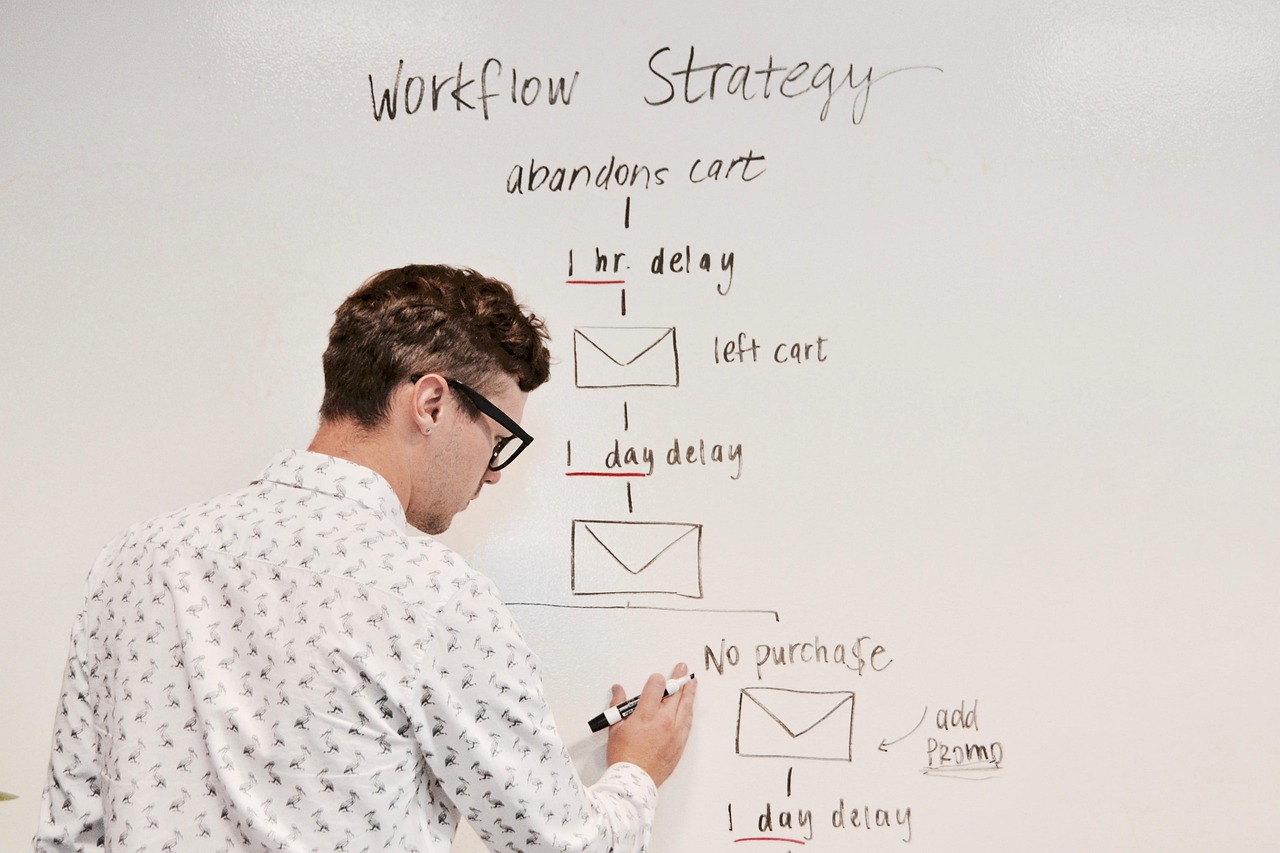
This is the layer where the real time savings happen. A new client fills out a form, and the system automatically creates a project folder, sends a welcome email, generates an invoice, and schedules an onboarding call. No human intervention. No forgetting steps.

My pick: Make.com (formerly Integromat). I switched from Zapier about a year ago because Make gives you more control over complex workflows at a lower price. The free tier handles 1,000 operations per month — plenty for testing. The $9/month plan covers most solo businesses.
Here’s a rule I wish I’d learned earlier: automate first, add AI agents later. Rule-based automation (when X happens, do Y) should handle 80% of your repetitive work. It’s predictable, it’s cheap, and it almost never breaks. AI agents — the ones that “think” about what to do — are powerful but expensive in token costs and unpredictable in edge cases.
Start with three automations: new lead notification, content publishing (blog to social media), and invoice follow-up. Those three alone saved me about 6 hours per week. Once they’re running smoothly, you can add more. But don’t build 20 automations in your first month. You’ll spend more time debugging than you save.
Layer 3: Design and Visual Content
You don’t need to be a designer. You really don’t. But you do need professional-looking visuals — for social posts, blog images, product mockups, and presentations.
My pick: Canva with AI features. The free tier is shockingly good in 2026. AI-powered background removal, magic resize for different platforms, and enough templates to cover any solopreneur need. I pay for Pro ($13/month) because I need brand kit features and unlimited background remover, but the free version covers 80% of what most people need.
For AI image generation, I use whatever model is included in Claude or ChatGPT — no separate subscription. Midjourney produces incredible results, but at $10/month it’s hard to justify unless visual content is your primary business. If you’re selling services or running a blog, Canva AI handles enough.
One thing I stopped doing: spending hours making visuals “perfect.” A good-enough graphic published today beats a perfect graphic published next week. I batch-create a week’s worth of social images in about 45 minutes on Sunday mornings. Done.
Layer 4: Finance and Admin
The unsexy layer. But skip it, and you’ll lose hours every month to messy bookkeeping and missed invoices.

For invoicing and expense tracking, QuickBooks Self-Employed (around $15/month) handles automatic categorization, receipt scanning, and quarterly tax estimates. Its AI assistant lets you ask financial questions in plain language instead of digging through reports — which is exactly what a non-accountant like me needs.
For scheduling, Reclaim.ai protects deep work blocks, schedules habits (exercise, lunch, admin time), and finds optimal meeting slots. The free plan supports two calendar syncs. I use the $8/month Starter plan because I manage multiple calendars across different projects.
My total for this layer: about $23/month. That’s less than one hour of a bookkeeper’s time — and it runs 24/7 without me thinking about it.
Layer 5: Analytics and SEO
If you’re creating content and not tracking what works, you’re guessing. And guessing doesn’t scale.
Good news: you can build a solid analytics layer for free. Google Search Console (free), Google Analytics 4 (free), and Rank Math (free WordPress plugin) cover keyword tracking, traffic analysis, and on-page SEO scoring. I’ve paid zero dollars on analytics tools for the past eight months and still have more data than I can act on.
The one paid addition I’d consider: Ahrefs at $29/month for competitive keyword research. It shows you what your competitors rank for, where the gaps are, and which keywords have enough search volume to be worth writing about. If SEO is a major growth channel for you (it is for me), this pays for itself within the first month.
For research and note-taking, NotebookLM (Google, completely free) rivals paid tools that cost $99/month. I dump articles, PDFs, and research papers into it, then ask questions across all my sources at once. Game-changing for anyone who writes long-form content.
Full Stack Cost Comparison: Traditional Team vs. Solopreneur AI Stack
| Function | Traditional Hire (Monthly) | AI Tool (Monthly) |
|---|---|---|
| Content writing | $3,000 – $5,000 (freelancer/PT) | $20 – $40 (Claude + ChatGPT) |
| Automation / VA | $1,500 – $2,500 | $0 – $9 (Make.com) |
| Design | $2,000 – $4,000 | $0 – $13 (Canva) |
| Bookkeeping / admin | $500 – $1,500 | $15 – $23 (QuickBooks + Reclaim) |
| Analytics / SEO | $1,000 – $3,000 (consultant) | $0 – $29 (free tools + Ahrefs) |
| Total | $8,000 – $16,000 | $35 – $114 |
That’s a 98% reduction if you’re on the paid end, and effectively free if you stick with free tiers. I run my stack at $87/month — right in the middle — and it handles everything I used to need three part-time contractors for.

The numbers are dramatic, but there’s a catch. AI tools don’t eliminate work — they shift it. You still need to review output, set strategy, make decisions, and maintain quality. The difference is you’re doing the high-value thinking instead of the repetitive execution. That trade-off is worth it for every solo founder I know.
My Experience Building a Solopreneur AI Stack From Scratch
I didn’t start with this clean five-layer system. Not even close. In early 2024, I was paying for 11 different SaaS tools — most of which I used once a week at best. My Notion workspace had 40 pages I never opened. I had three different writing tools doing roughly the same thing. My monthly software bill was $230, and I couldn’t tell you what half of it did.
The wake-up call came when I exported my bank statements and categorized every subscription. Seven of those 11 tools had overlapping features. I was paying for a scheduling tool, a calendar tool, AND a time-blocking app. All three did the same thing differently.
So I killed everything. Canceled all 11 subscriptions in one afternoon and started fresh with three tools: Claude for writing, Make.com for automation, and Canva for design. That was it. For two months, I ran my entire solo business on those three. And honestly? I didn’t miss the other eight.
Over the next few months, I added QuickBooks and Reclaim.ai when I hit real friction points — tax season and calendar chaos, respectively. Then Rank Math and Google Search Console when I got serious about content marketing. Each addition solved a specific problem I was already experiencing. Not a hypothetical one.
My advice? Start with three tools. Run them for 30 days. Only add a new tool when you hit a wall that can’t be solved by the ones you already have. That constraint forces you to actually learn each tool deeply — and deep knowledge of three tools beats shallow knowledge of twelve, every single time.
Frequently Asked Questions
What is a solopreneur AI stack?
A solopreneur AI stack is a curated set of AI-powered software tools that replace the functions typically handled by employees or contractors. It usually covers content creation, workflow automation, design, financial management, and analytics — allowing one person to operate with the output of a small team.
How much does a full AI stack cost per month?
A complete solopreneur AI stack can cost anywhere from $0 (using only free tiers) to about $115 per month with paid plans. Most solo founders spend between $50 and $100 monthly, which covers premium AI writing tools, automation platforms, and basic analytics.
Can I run a solo business with only free AI tools?
Yes. In 2026, free tiers from Claude, ChatGPT, Canva, Zapier, Google Analytics, and NotebookLM cover most solopreneur needs. You’ll hit rate limits and miss some premium features, but many solo founders run profitable businesses on mostly-free stacks. Upgrade only when a specific limitation costs you real time or revenue.
Should I use Claude or ChatGPT for my solo business?
Both have strengths. Claude excels at long-form content, complex analysis, and maintaining context across large documents. ChatGPT is faster for short tasks, has broader plugin support, and works well for brainstorming. Many solo founders use both — Claude for deep work, ChatGPT for quick tasks — spending about $40/month total.