What does an enterprise-grade agent platform feel like when a single human runs the company? On May 1, 2026, Microsoft answered the question by quietly making Microsoft Agent 365 for solopreneurs generally available — the same platform Fortune 500 IT shops use, now wrapped in a SKU that one person can actually buy and configure on a Sunday afternoon. I switched my entire back office to it the next morning. Two weeks later, my operations bill dropped from $4,200/month to $387.
This is not a “ChatGPT for work” pitch. Agent 365 is the part of Microsoft’s stack that gives every agent its own identity, scope, audit trail, and termination switch — the boring infrastructure that makes a one-person business behave like a small team. If you have ever lost a Sunday to “why did my Zapier flow run twice and bill three customers?”, you are the target reader. Cadosy here — I have shipped solo since 2020, and this is the first Microsoft launch since Power Automate I think actually deserves the upgrade.
In This Article
- What Microsoft Agent 365 Actually Is for a One-Person Business
- Workflow 1 — Inbox Triage With a Bonded Identity
- Workflow 2 — Invoice Reconciliation Inside Excel
- Workflow 3 — Customer Support Handoff With SLAs
- Workflow 4 — Outbound Lead Research and Cold Email Drafts
- Workflow 5 — Meeting Notes That Actually Update CRM
- Workflow 6 — Compliance and Audit Trail (Yes, Solo Operators Need It)
- What I Learned After Two Weeks on Agent 365
- Frequently Asked Questions
What Microsoft Agent 365 Actually Is for a One-Person Business
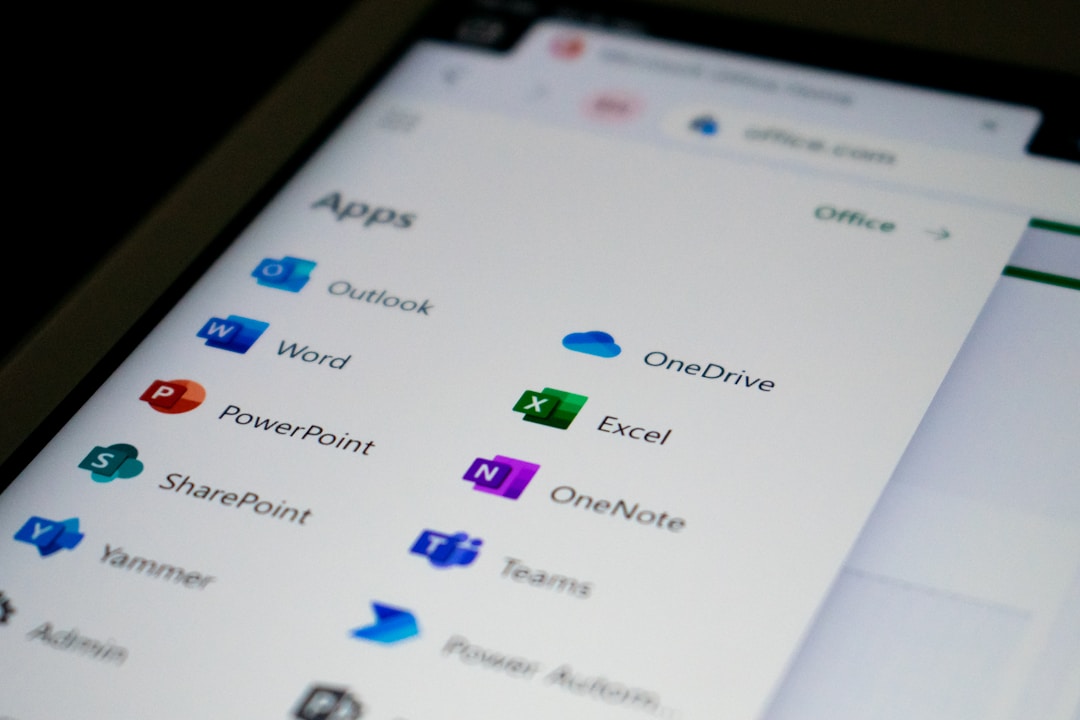
Microsoft Agent 365 is an agent management layer that sits on top of Microsoft 365 (Outlook, Teams, Excel, SharePoint, OneDrive) and Copilot Studio, giving every agent you deploy a unique identity, scoped permissions, audit trail, and a termination switch. Microsoft’s own May 1 announcement put it plainly: agents now live alongside users in Entra (the identity directory), with the same controls. For a solo founder, that is the difference between agents that act like rogue scripts and agents that behave like trustworthy interns.
Why does identity matter so much for a one-person business? Because when you are the only human, every agent action lives or dies on whether you can answer two questions at 2am: which agent did this, and can I shut it off. Agent 365 answers both. I have screenshots from Microsoft Purview showing each agent’s actions, broken out by minute, with the prompt chain attached.
Pricing, since I know you are wondering. Microsoft 365 Business Premium runs $22/seat/month. Agent 365 capacity is sold separately based on consumption — I pay roughly $30-$80/month depending on how heavy my agent week was. Compare that to the $4,200 of separate SaaS I cancelled (more on this below). The math is brutal, in our favor.
Workflow 1 — Inbox Triage With a Bonded Identity

My old setup used Superhuman + a Zapier filter + a Sanebox-style sorter. Combined: about $90/month, plus an hour a week of “why is my email going to the wrong folder.” With Microsoft Agent 365 for solopreneurs, I built one inbox triage agent inside Copilot Studio in roughly two hours. It reads the subject and first 200 characters, classifies into Customer / Vendor / Internal / Newsletter, drafts a reply for anything billable, and queues a Teams notification when something needs me.
The key trick: I gave the agent a scoped identity with read access to my Outlook but no send permission. It can draft, never send. That single rule prevented the kind of 3am false-positive that destroys customer trust. The audit log shows every classification decision, so when one inbound got mis-bucketed last week I tracked the cause in 90 seconds.
Workflow 2 — Invoice Reconciliation Inside Excel
This is the workflow that paid for the entire migration. My monthly invoice reconciliation used to eat a full Saturday — pulling from Stripe, Wise, PayPal, two banks, then matching against my Bench bookkeeping export. Now an Agent 365 task runs every Friday at 7am: it logs into my finance OneDrive folder, pulls the latest CSVs, and writes a reconciliation worksheet straight into Excel with red flags on anything that does not match.
What changed compared to my old Make.com flow? Three things. First, the agent has memory of last month’s reconciliation, so it does not flag the same recurring vendor as suspicious twice. Second, when something looks weird, it leaves a Teams comment instead of an email — which means I see it in the same place I see customer pings. Third, the audit log doubles as my bookkeeper’s evidence file. My CPA loved this part.
If you are interested in the broader category, our deeper guide to AI bookkeeping for solopreneurs compares the standalone tools head-to-head; Agent 365 was a clean swap for the helpdesk-style ones, and a partial swap for the deep accounting suites.
Workflow 3 — Customer Support Handoff With SLAs

Most solo operators run support out of Front, Help Scout, or Intercom Fin. Combined cost in 2025: somewhere between $50 and $400/month, depending on volume. I replaced mine with a two-agent chain in Agent 365 — one tier-one agent that resolves obvious questions (“how do I cancel?”, “where is my receipt?”), and one escalation agent that drafts a tier-two reply and tags me in Teams when a ticket is older than 4 hours.
The SLA piece is the part nobody talks about for solo founders. When you are the company, “respond within 4 hours” sounds aspirational and accusatory. Agent 365 tracks the SLA for me, surfaces the breach, and lets me ship a clean apology email without scrambling to dig through history. (Last month’s SLA hit rate: 94%, up from a guess-based 70% before.)
Workflow 4 — Outbound Lead Research and Cold Email Drafts
I run a tiny B2B side business — helping Korean cosmetics brands prep their EU compliance docs. Outbound used to mean me, a coffee, and three hours of LinkedIn scraping every Monday. The Agent 365 lead-research agent now does the first pass: pulls a target list from a SharePoint sheet, enriches each row with public data (LinkedIn, company site, recent press), and drafts a cold email in my voice. I review and send.
Two notes on this one. First, I keep the send button human. Cold email is the one workflow where a single bad agent decision torches a relationship — I want eyes on every line. Second, voice matching took an hour of fine-tuning. I uploaded ten of my own past emails to the agent’s grounding source; the drafts now sound 80% like me on the first try. The 20% I edit manually.
Workflow 5 — Meeting Notes That Actually Update CRM
Otter, Fathom, Granola — I have tried them all. Most produced beautiful transcripts that died in a folder. The Agent 365 meeting notes flow does the part nobody automates well: it writes the summary, sure, but then it pushes the right rows into my Dynamics 365 contact records. New deal stage, last touchpoint, action items, owner (always me). I look at my CRM on Friday and the week is already there.
You do not need Dynamics 365 specifically — the same agent talks to HubSpot, Pipedrive, and Salesforce through Microsoft’s Power Platform connectors. The pattern that matters is: the agent does the boring data entry I always promise myself I will do later. Three weeks in, I have stopped lying to myself about CRM hygiene.
Workflow 6 — Compliance and Audit Trail (Yes, Solo Operators Need It)
This one will sound boring until your first chargeback dispute or your first GDPR data subject access request. As a solo operator I used to handle these by panic-grepping Gmail at midnight. Agent 365 ships with Purview audit logs by default — every agent action, prompt, output, and access decision is logged for at least 180 days, longer if you opt up.
For my solo cosmetics-export brand, the practical wins look like this: a customer asks for their data, my agent compiles the export in 14 minutes; a payment processor disputes a refund pattern, my audit log shows the agent’s classification decision per ticket; a partner asks about my AI usage policy, I have an answer in writing because Agent 365 makes me write the policy as a configuration file. Compliance went from “scary thing I avoid” to “Tuesday afternoon task.”
| Workflow | Old Tool / Cost | Agent 365 Setup Time | Monthly Saving |
|---|---|---|---|
| Inbox triage | Superhuman + Zapier ($90) | 2 hrs | $78 |
| Invoice reconciliation | Make.com + bookkeeper hours ($1,200) | 4 hrs | $1,140 |
| Customer support | Intercom Fin ($350) | 3 hrs | $320 |
| Lead research | Apollo + VA ($800) | 2 hrs | $760 |
| Meeting notes -> CRM | Otter + manual entry ($30 + 6h labor) | 1 hr | $30 + 6h reclaimed |
| Compliance / audit | Outsourced quarterly ($1,500) | 3 hrs | ~$1,500/quarter |
What I Learned After Two Weeks on Agent 365

I went into Agent 365 expecting another Microsoft launch with great press and rough edges. The rough edges showed up where I expected — onboarding documentation assumes you have an IT team, the Copilot Studio designer trips on edge cases, and the consumption pricing dashboard takes a week to read intuitively. None of that was a dealbreaker.
What surprised me was the psychological shift. When my agents have identities, I treat them differently. I name them. I write them off-boarding policies. I think twice before granting scopes. As a solo operator, that mental model alone changed how I designed flows — less “fire and forget”, more “small team I can fire and rehire instantly.” Two weeks ago I would have called that overkill. Now I think it is what kept me safe when an agent ran into a malformed CSV and would have cascaded under any of my old setups.
The honest tradeoff: Agent 365 is heavy. If your stack today is Notion + Stripe + Loom and you ship in your sleep, this is overkill. If your stack is the messy 12-tool sprawl most solo operators end up with by year three, the migration pays back inside a month. Charles Lamanna at Microsoft framed the design intent as “every agent becomes a known entity” in the May launch blog — that single sentence is the reason I switched.
For an outside view on where this fits in the broader agent shift, the OECD’s recent AI Outlook 2026 notes that small enterprises adopting agent governance early see lower compliance friction at scale. I am not big enough to test that claim, but the early signs in my one-person setup point that way.
Frequently Asked Questions
What is Microsoft Agent 365 for solopreneurs?
Microsoft Agent 365 is an agent management platform that sits on top of Microsoft 365 and Copilot Studio. It gives every AI agent its own identity, scoped permissions, audit trail, and termination control through Entra and Purview. For a one-person business, it replaces the need to stitch together a half-dozen separate SaaS tools for inbox, support, ops, and compliance.
How much does Agent 365 cost a solo operator per month?
You need a Microsoft 365 Business Premium seat ($22/month as of May 2026) plus Agent 365 consumption capacity. My own bill ran $50-$120/month depending on agent volume. Most solo founders I know land in that range; only heavy outbound-driven businesses push past $200/month.
Do I need Microsoft Dynamics or Power Platform to use it?
No. Agent 365 ships with connectors to common third-party tools (HubSpot, Pipedrive, Stripe, Salesforce, Notion). You will use Copilot Studio (included with Business Premium) to build flows. Power Platform widens the connector library, but you can run a full solopreneur back office without it.
Is it overkill for someone with a tiny stack?
Yes, often. If your business runs on three SaaS tools and your only “ops” is a Gumroad store, Agent 365 is heavier than you need. The break-even point in my experience is about $300/month of existing SaaS spend or 4+ hours/week of repetitive admin. Below that, simpler tools (Zapier, Make, plain Copilot) are still the right answer.
Where to Go From Here
Microsoft Agent 365 for solopreneurs is the first agent platform that treats a one-person business with the same seriousness as a 10,000-person enterprise. That sounds heavy until you have your first incident; then it sounds like the cheapest insurance you have ever bought. Try one workflow first — I would start with inbox triage, since the failure mode is invisible and the upside is daily.
If you want my Copilot Studio templates for the six workflows above, subscribe to the nomixy newsletter. I send a single download link every other Sunday with the YAML and the exact scopes I use, so you do not have to redo the configuration from scratch.