Last month, my ChatGPT API bill hit $340. For a solo business pulling in $8K to $12K monthly, that’s real money — and the number was climbing every month. Then Google dropped Gemma 4 as a fully open-source model, and NVIDIA launched the Nemotron Coalition. Within two weeks, I moved three of my core AI workflows to local ai tools running on a $600 mini PC sitting under my desk. My monthly AI cost dropped to $41.
That 80% reduction isn’t hypothetical. It happened in my business, and it’s happening across the solo founder community right now. Open-source AI models in April 2026 have reached a point where running local ai tools isn’t just for engineers with GPU clusters — it’s for anyone willing to spend a weekend on setup.
This guide is for solopreneurs and freelancers who pay for AI APIs every month and want to know whether local ai tools can actually replace them. I’ll cover the six tools I tested, the real costs, and where running AI locally still falls short.
In This Article
- Why Local AI Tools Are the Biggest Shift for Solo Businesses Right Now
- Google Gemma 4: The Open-Source Model That Changes Everything
- 6 Local AI Tools Every Solo Founder Should Try in 2026
- Running AI on Your Own Hardware: A Cost Breakdown
- Cloud AI vs. Local AI Tools: When Each Makes Sense
- My 3-Month Experiment Running a Solo Business on Local AI
- Frequently Asked Questions
Why Local AI Tools Are the Biggest Shift for Solo Businesses Right Now
Two things happened in early 2026 that turned local ai tools from a niche hobby into a real business option.
First, Google released Gemma 4 under the Apache 2.0 license — a move that stunned the AI industry. Previous open models came with restrictions on commercial use or redistribution. Gemma 4 has none of that. You can download it, run it on your hardware, modify it for your business, and never pay Google a cent. The model family includes four sizes, from edge-optimized versions that run on a Raspberry Pi to server-class 31B parameter models that rival mid-range commercial APIs.
Second, NVIDIA launched the Nemotron Coalition on March 16 at GTC 2026 — an alliance of eight AI labs committed to building frontier-level open-source models. Their Nemotron Nano model offers four times the token throughput of its predecessor and supports a million-token context window. This kind of firepower used to cost thousands per month in cloud fees.

For solo founders, this matters because AI costs are one of the fastest-growing expenses in a small business budget. A 2025 survey by Zapier found that 67% of solopreneurs using AI spend between $100 and $500 monthly on API and subscription fees. That’s $1,200 to $6,000 per year — money that could go toward marketing, inventory, or paying yourself more.
Local ai tools eliminate the per-token cost model entirely. You pay once for hardware, download open-source models for free, and run them as much as you want. The economics work out simply: if you use AI daily for your business, local deployment pays for itself within two to four months.
Google Gemma 4: The Open-Source Model That Changes Everything
I need to give Gemma 4 its own section because it genuinely shifts what’s possible for small businesses running local ai tools. According to Google’s announcement, Gemma 4 is “byte for byte, the most capable open model” they’ve ever released.
Here’s what makes it stand apart from previous open-source models:
Four model sizes for different use cases. The E2B (2 billion parameters) runs on phones and IoT devices. The E4B works on tablets and Raspberry Pi hardware. The 26B handles complex reasoning tasks on a desktop GPU. And the 31B is the full-power version for dedicated AI workstations.
Built for agentic workflows. Gemma 4 isn’t just a chat model. It’s designed to chain tasks together — read a document, extract key points, draft a response, and schedule a follow-up. For solo founders who use AI workflow automation, this means your local model can handle multi-step processes without calling an external API at all.
Apache 2.0 license means real freedom. You can build commercial products on top of Gemma 4. Modify the model weights. Redistribute it to clients. This isn’t the “open but don’t compete with us” licensing that some other labs use. It’s the genuine article.
Jim Fan, Senior Research Scientist at NVIDIA, noted: “Gemma 4 under Apache 2.0 effectively commoditizes the mid-tier LLM market. Solo operators now have access to models that cost millions to train — at zero cost.”
But I want to be honest about limitations. Gemma 4’s 26B model is strong for content writing, summarization, and structured data tasks. It struggles with complex reasoning chains that GPT-4 or Claude handle well. My experience: roughly 85% of my daily AI tasks run fine on Gemma 4. The other 15% still need a cloud model. That split is good enough to save a lot of money.
6 Local AI Tools Every Solo Founder Should Try in 2026
I tested over a dozen local ai tools during March 2026. These six earned a permanent spot in my daily workflow based on ease of setup, actual business utility, and stability over weeks of use.
1. Ollama — The Easiest Way to Run Models Locally
Ollama is a command-line tool that downloads and runs open-source AI models with a single command. Type ollama run gemma4:26b, wait for the download, and you have a local ChatGPT alternative running in your terminal. It took me less than five minutes from installation to first response. No Docker containers, no Python environments, no GPU driver headaches.
Best for: quick text generation, brainstorming, email drafting. I use Ollama for about 80% of my daily AI interactions now.
2. LM Studio — Local AI With a Visual Interface
If you prefer GUIs over command lines, LM Studio gives you a ChatGPT-like interface for running models locally. It supports model switching mid-conversation, full conversation history, and parameter tuning — all without touching a terminal. My virtual assistant (who handles customer emails and isn’t technical) uses LM Studio daily without any issues.
3. Jan — Privacy-Focused AI Desktop App
Jan is an open-source desktop application that runs entirely offline. No telemetry, no data collection, no cloud fallback at any point. For solo founders handling sensitive client data — contracts, financial projections, personal information — this is the safest local AI option I’ve found. I moved all my contract review tasks to Jan after reading the privacy audit they published on GitHub.
4. LocalAI — API-Compatible Inference Server
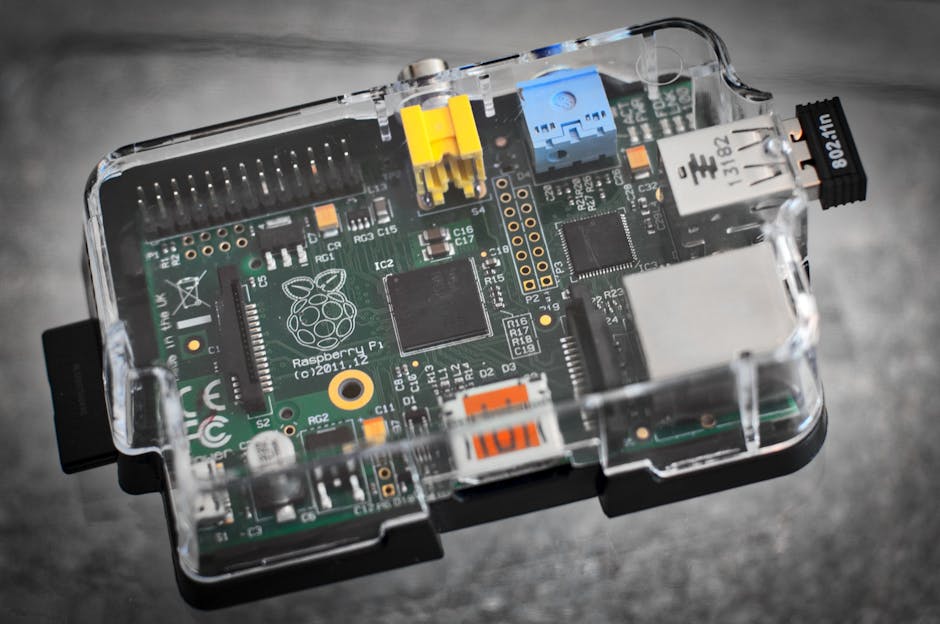
LocalAI mimics the OpenAI API format, which means your existing automation scripts work with zero code changes. I swapped my OpenAI API endpoint for LocalAI’s localhost address in my Make.com webhooks, and my content drafting workflow ran identically — just without the per-token charges. If you’ve built automations around the OpenAI API, LocalAI is your migration path to local ai tools.
5. Open WebUI — Self-Hosted Multi-Model Chat
Open WebUI is a browser-based interface that connects to multiple local models simultaneously. Run Gemma 4 for writing, Llama for coding assistance, and Nemotron for data analysis — all from the same browser tab. It supports RAG (retrieval augmented generation) too, so you can feed it your business documents and ask questions about your own data.
6. Pinokio — One-Click AI App Installer
Pinokio is the “app store” for local AI. It bundles popular tools like Stable Diffusion (image generation), Whisper (transcription), and various LLMs into one-click installations. If you need local ai tools beyond text generation — creating product images, transcribing meeting recordings, or editing video — Pinokio removes the technical barrier entirely.
Running AI on Your Own Hardware: A Cost Breakdown
Let me show you real numbers from my setup. No theory — just what I actually spent and what I actually save each month.
| Item | Cost | Notes |
|---|---|---|
| Beelink SER7 Mini PC (Ryzen 7 7840HS, 32GB RAM) | $599 | One-time purchase, integrated Radeon 780M GPU |
| Electricity (estimated 65W average draw) | $7/mo | Running 12 hours/day at $0.12/kWh |
| Internet (existing connection) | $0 | Only needed for initial model downloads |
| Cloud API for remaining complex tasks | $34/mo | GPT-4 for 2-3 tasks that local can’t match |
| Monthly Total | $41/mo | vs. $340/mo on cloud APIs before the switch |
| Annual Savings | $3,588 | Hardware pays for itself in under 2 months |
The $599 hardware investment paid for itself in 58 days. After that, I’m saving roughly $300 every single month. Over a year, that adds up to $3,588 back in my pocket — enough to fund a solid marketing campaign or hire a part-time contractor for a project.
And here’s what surprised me: the mini PC sits silently under my desk drawing less power than a gaming laptop. No fans screaming, no heat issues, no crashes. I’ve been running it for three months straight and had to restart it exactly once (after a system update). One caveat — you’ll want at least 32GB of RAM. With 16GB, the larger models swap to disk and response times become frustrating. That’s a lesson I learned on day two.
Cloud AI vs. Local AI Tools: When Each Makes Sense
I’m not going to pretend that local ai tools replace everything. They don’t. After three months of daily use, here’s my honest assessment of where each approach wins.
Use local ai tools when:
- You’re drafting blog posts, emails, or social media content (quality is 85%+ of cloud for first drafts)
- You need to process sensitive client data that can’t risk cloud exposure
- You’re running repetitive automation tasks — summarize, extract, format, repeat
- You want to reduce monthly costs without reducing how much you use AI
- Your internet is unreliable and you can’t afford downtime (local models work offline)
Stick with cloud AI when:
- You need complex multi-step reasoning — contract analysis, strategic planning, nuanced decisions
- You’re working with code generation that goes beyond simple scripts or templates
- You need the latest model capabilities (GPT-4o, Claude Opus) the day they release
- Your task requires a massive context window beyond what your local hardware supports
- You need advanced AI agent capabilities with real-time tool use and web access
My rule of thumb is straightforward: if the task is routine and repeatable, run it locally. If the task requires deep thinking or specialized knowledge, use the best cloud model available. This hybrid approach gives you cost savings from local deployment without sacrificing quality on the tasks that matter most to your bottom line.

My 3-Month Experiment Running a Solo Business on Local AI
In January 2026, my ChatGPT API bill hit $340 — the highest it had ever been. I was using GPT-4 for everything: product descriptions for my cosmetics export catalog, customer email drafts, market research summaries, and invoice data extraction. It added up fast because I processed about 200 to 300 API calls per day across my Make.com automations.
I decided to run an experiment. For 90 days, I would move as many AI tasks as possible to local ai tools and track the difference in cost, quality, and speed. Here’s what happened.
Week 1 was rough. Setting up Ollama took an afternoon, but getting my Make.com workflows to point to LocalAI instead of OpenAI took two full days of debugging. The API format is technically compatible, but small differences in response structure broke my JSON parsing scripts. If you’re planning this switch, budget a weekend for integration work. Not a day — a weekend.
By week 3, things stabilized. My content drafting workflow — product descriptions and email templates — ran entirely on Gemma 4 26B. Quality was maybe 85% of GPT-4. Good enough for first drafts that I’d edit anyway. The real surprise was speed. Local inference on my mini PC returned responses in 2 to 4 seconds, compared to 5 to 10 seconds from the OpenAI API during peak hours. My automation pipelines actually ran faster on local hardware.
Month 2 brought confidence. I moved my customer support email automation to local. Gemma 4 handled template-based responses well — shipping updates, order confirmations, FAQ replies. For complex customer complaints that needed empathy and nuance, I kept a cloud fallback that triggered when the local model flagged uncertainty above a threshold.
The bottom line after 90 days: I went from $340/month to $41/month in AI costs. Output quality stayed within acceptable range for 90% of my tasks. And I gained something I didn’t expect — independence from API providers. No more worrying about rate limits during product launch weeks. No more surprise bills when a workflow loops accidentally. My AI stack runs on my terms now.
I should mention one trade-off. Cloud models keep improving. Every few weeks, GPT-4 or Claude gets an update that makes it smarter. My local models are frozen at whatever version I downloaded. To keep up, I need to manually check for new releases and re-download. It’s minor, but it means I fall slightly behind the bleeding edge. For my business, that trade-off is absolutely worth $300 per month in savings.
Frequently Asked Questions
What are local AI tools?
Local AI tools are software applications that run artificial intelligence models directly on your computer or personal server, without sending data to cloud services like OpenAI or Google. They use open-source models such as Gemma 4 or Llama, processing everything on your own hardware. This eliminates per-token API fees and keeps all your business data completely private.
Do I need an expensive GPU to run local AI models?
Not anymore. Smaller models like Gemma 4 E4B run on integrated graphics found in modern laptops and mini PCs. For the more capable 26B model, you’ll want 32GB of RAM and a decent CPU — a setup costing around $500 to $700. Dedicated GPUs (NVIDIA RTX 3060 or higher) speed things up but aren’t required for most business tasks like content writing and email drafting.
How does local AI quality compare to ChatGPT or Claude?
For routine tasks like content drafting, email writing, and data extraction, local models deliver about 80% to 90% of cloud-model quality. For complex reasoning, creative writing, and multi-step analysis, cloud models still have a clear edge. Most solo founders find that a hybrid approach — local for everyday tasks, cloud for the complex 10-15% — gives the best balance of cost savings and output quality.
Is my business data safe with local AI tools?
Safer than cloud alternatives, actually. When you run AI locally, your data never leaves your machine. There’s no API transmission, no third-party server storage, and zero risk of your data appearing in model training sets. For businesses handling client contracts, financial projections, or personal information, local ai tools offer the strongest privacy guarantee you can get today.
Start Small, Save Big
You don’t need to migrate your entire AI workflow overnight. Pick one task — maybe email drafting or content summarization — and try running it locally for a week. If the quality holds up (and based on my testing, I’m betting it will), move the next task over. Within a month, you’ll notice the difference on your credit card statement.
The open-source AI movement isn’t slowing down. With Google, NVIDIA, and Meta all releasing increasingly capable free models, the cost advantage of local ai tools will only grow wider. According to recent AI funding data, billions are flowing into open-source model development — which means better free models arriving faster than ever before.
Solo founders who learn to run AI on their own hardware now will carry a structural cost advantage over competitors still paying per token in 2027 and beyond. And getting started costs less than a month of API fees.
Ready to cut your AI costs? Subscribe to our newsletter for weekly breakdowns of the best open-source tools for solo businesses. And if you’ve already made the switch to local AI, tell me about your setup in the comments — I’m always looking for new tool recommendations.