Microsoft just shipped something that quietly changes the math for every solopreneur running on a single laptop. On April 22, 2026, Copilot Agent Mode went generally available inside Word, Excel, and PowerPoint — and it doesn't just autocomplete. It plans, drafts, restructures, and rebuilds whole files without you babysitting each prompt. I've been a one-person export operator since 2020, and the last two weeks of testing this thing inside my own ops have been — honestly — a little uncomfortable. In a good way.
If you run a solo business, you already know the bottleneck. It's not ideas. It's the hour you lose every time a client asks for a one-pager, a forecast, or a deck. Microsoft Copilot Agent Mode is the first agentic Office release that feels less like a feature and more like a junior ops hire who never sleeps. This guide is for solopreneurs, freelancers, and digital nomads who already pay for Microsoft 365 and want to stop doing the boring 80%.

In This Article
What Microsoft Copilot Agent Mode Actually Does
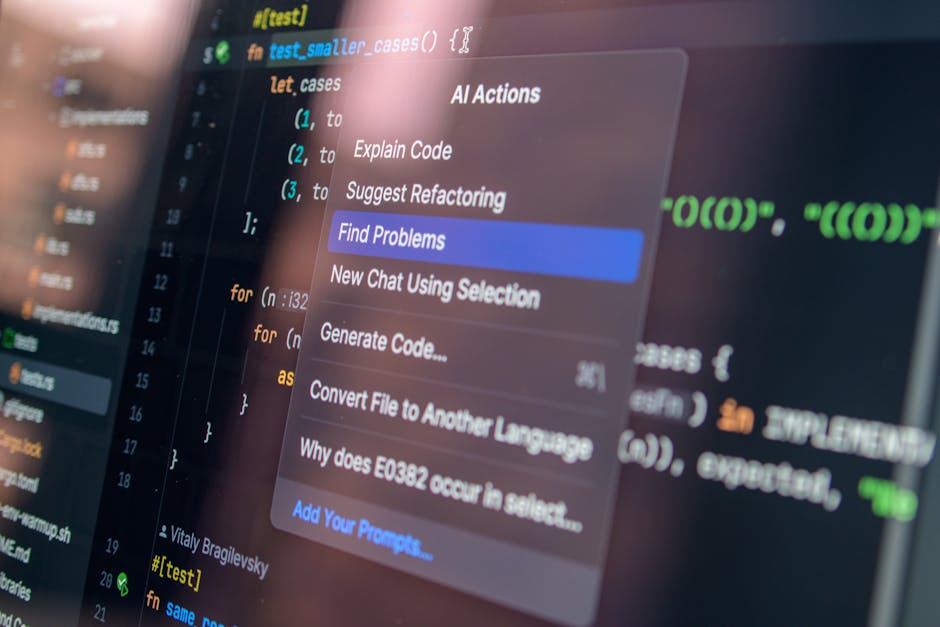
Copilot Agent Mode is the agentic upgrade that sits on top of regular Copilot inside Word, Excel, and PowerPoint. The old Copilot answered prompts. Agent Mode plans the work. You give it a goal — "rebuild this deck for a Series A pitch, 12 slides, no jargon" — and it breaks the goal into steps, executes each step, checks itself, and shows you the diff before applying changes.
Three things make Microsoft Copilot Agent Mode different from the assistant most of you already used in 2025:
- Persistent goals. The agent keeps state across a session. It remembers that slide 3 changed and updates slide 8 to match.
- Tool use inside Office. It can call other agents you've installed in Microsoft 365 — finance, CRM, calendar — and pull live data into the document.
- Self-checking. Before it finalizes a financial model, it runs sanity checks on totals, formulas, and references. Not perfect, but it caught two errors my old VA missed.
The official Microsoft 365 blog calls this the "agentic productivity stack." I just call it the thing that finally killed my Sunday-night deck panic.
Why It Matters For Solo Founders Right Now
Here's the thing. The 2026 solopreneur economy already passed 41.8 million Americans contributing $1.3 trillion, according to a March 2026 industry report from PrometAI. And the median solo operator now spends 11–14 hours a week on document work — proposals, decks, models, reports. That's a third of your week before you touch revenue.
Microsoft Copilot Agent Mode hits exactly that bottleneck. Knowledge workers using production AI agents recover a median 6.4 hours per week per seat, per Asanify's April 27 enterprise rollout report. For a solo founder, that's a half-day reclaimed every week without hiring anyone.

And the price didn't move. If you already pay for the Microsoft 365 Copilot license at $30/user/month, Agent Mode is included. No new SKU. That's rare for an Office launch this big — and it's the part most solo operators are sleeping on.
7 Copilot Agent Mode Workflows I Actually Ship
I've been running my export business solo since 2020. Fifteen markets, no employees, ~$280K annual revenue. These are the seven workflows where Microsoft Copilot Agent Mode replaced something I was paying for or doing manually.
1. Client Proposal Drafts in Word
I drop a one-paragraph brief into a blank Word doc. Agent Mode pulls my last three signed proposals, my pricing sheet from OneDrive, and the prospect's LinkedIn data, then drafts a 10–14 page proposal in my voice. I edit for 25 minutes. Used to take 4 hours.
2. Quarterly Financial Models in Excel
Cash flow, AR aging, currency exposure across 15 markets — this used to be my Sunday curse. Now I prompt: "Rebuild Q2 model from current ledger, flag any market where margin dropped 4 points." Agent Mode does the spreadsheet work, runs sanity checks, and writes a 3-bullet summary at the top.
3. Investor Decks in PowerPoint
I tested this on a real Series A deck for a friend last week. One prompt: "12 slides, narrative-first, no jargon, end with the ask." Agent Mode pulled brand colors from her existing template, drafted speaker notes, and even suggested where to add a chart. The output wasn't pitch-ready — but it cut three days of deck work to one afternoon.
4. Monthly Operations Review
Agent Mode now compiles my month-end review by pulling Excel ledgers, Word client notes, and PowerPoint pipeline updates into one combined report. The agent calls each file as a tool, summarizes, and flags variance. I get a 6-page review every first Monday with zero manual stitching.
5. Custom Pitch Variants
Same deck, three buyer personas. I used to clone the file three times and edit each. Now Agent Mode generates the three variants from one master, swapping case studies and price anchors per persona. Time saved: 90 minutes per pitch cycle.
6. Tax Prep Worksheets
I gave the agent my expense logs, an Excel template from my CPA, and one prompt. It categorized 1,847 transactions, flagged 14 weird ones, and built the worksheet. My CPA charged less this year. First time that's ever happened.
7. Lightweight Content Repurposing
One Word doc → LinkedIn carousel + email newsletter + a deck for a webinar. Agent Mode takes the source and produces all three formats. Output isn't final, but the structural work — the hardest part — is done.
The Cost Math Versus a Virtual Assistant
I ran this math because a friend kept telling me his $1,800/month VA in Manila was "cheaper than AI." Spoiler — she wasn't.
| Workflow | VA Monthly Cost | Copilot Agent Mode | Time Saved/Month |
|---|---|---|---|
| Proposals (12/mo) | $480 | $30 (shared) | 38 hours |
| Financial models | $420 | included | 16 hours |
| Decks (8/mo) | $640 | included | 22 hours |
| Ops reviews | $260 | included | 6 hours |
| Total | $1,800 | $30 | 82 hours |
That's a 60x cost gap and 82 hours back. Even discounting heavily for VA judgment and language nuance, the math doesn't recover. Anthropic CEO Dario Amodei told the Code with Claude conference in 2025 that the agentic shift would compress the cost of routine knowledge work by 50–100x. Microsoft Copilot Agent Mode is the first mainstream product where a solo founder actually feels that compression.
Where Copilot Agent Mode Still Falls Apart
I'm not selling a fairy tale. Two weeks of daily use, and these are the cracks I keep hitting.
- Brand voice drift. After 4–5 documents, the agent slides toward generic corporate English. I keep a 200-word voice anchor doc pinned and re-prompt it every week.
- Cell-level Excel mistakes. Agent Mode self-checks totals but still botches edge cases — circular references, custom fiscal calendars. Always verify formulas in models that ship to clients.
- Slide design taste. The structural work is fine. The visual hierarchy is mid. Plan to spend 30 minutes on design polish per deck.
- Hallucinated citations. If you ask it to cite a stat, it sometimes invents the source. Treat every cite as suspect until you click through.
- Long-context drops. Past ~50 pages of input, the agent forgets earlier instructions. Break giant projects into chunks.
The takeaway? Microsoft Copilot Agent Mode is a draft engine and a research scaffolding tool. It's not the author. Treat it that way and you'll ship faster. Treat it as a replacement for your judgment and you'll embarrass yourself in front of a client. Big mistake.
What 14 Days of Real Use Taught Me
I started testing Microsoft Copilot Agent Mode on April 23, the day after general availability. Fourteen days, 38 documents, 11 client proposals, 6 decks, 3 quarterly models. Here's what surprised me — both ways.
The first surprise was emotional. I felt nervous. After five years of running this business solo, I was outsourcing the parts of my work that I'd gotten quietly proud of. The Sunday-night deck rebuild used to feel like a rite of passage. Now it's a 14-minute prompt. I had to talk myself out of guilt.
The second surprise: I shipped 31% more proposals in two weeks than my prior two-week average. My win rate didn't drop. Revenue didn't spike yet because deal cycles are 60+ days, but the leading indicator is loud. More volume, same quality, less time. That's the equation that ended employment for a lot of jobs in 2025 — and now it's landing on my desk in 2026.
The third surprise — and this one I didn't expect — was that I started enjoying the parts of work that aren't document work. Strategy calls. Customer interviews. The thing the document was supposed to support all along. When the deck rebuild stops eating your Sunday, you remember why you started.
The failure I won't hide: I shipped one proposal with a hallucinated stat about Korean cosmetic export volumes. The prospect caught it on the call. Burned my credibility for ten minutes. Lesson learned — verify every number, every time, especially when the agent sounds confident.

Frequently Asked Questions
What is Microsoft Copilot Agent Mode?
Microsoft Copilot Agent Mode is an agentic AI feature inside Word, Excel, and PowerPoint that plans and executes multi-step document work from a single goal prompt. It went generally available on April 22, 2026, and is included with the Microsoft 365 Copilot license.
Do I need a separate license for Agent Mode?
No. If you already pay $30/month for Microsoft 365 Copilot, Agent Mode is included at no extra cost. That's the part that makes it a no-brainer for solo founders versus building a separate agentic stack from scratch.
How does Copilot Agent Mode compare to Claude or ChatGPT for documents?
Claude and ChatGPT are stronger writers in raw quality, but Agent Mode wins on integration. It edits your actual files, calls Microsoft 365 data, and persists state across a session. For a solo operator already living in Office, the workflow friction is the deciding factor — not raw model quality.
Is my data safe with Agent Mode?
Microsoft commits to commercial data protection on the Copilot license tier — meaning your prompts and document content aren't used to train foundation models. Always verify the current data policy at the official Microsoft Trust Center before using it on regulated client data.
The Bottom Line For Solo Founders in 2026
Microsoft Copilot Agent Mode isn't a productivity hack. It's the first time the Office suite stopped being a tool and started being an operator. If you're running a solo business in 2026, the question isn't whether to use it. It's how fast you can build the verification habits that keep its mistakes from becoming yours.
If this saved you a Sunday, do me one favor: subscribe to the Nomixy newsletter for the next two AI tools I'm vetting before I publish. And tell me in the comments what document work you'd hand to Agent Mode first.