Last Thursday I fired my Fiverr pitch-deck designer. Not out of cruelty — out of obsolescence. Anthropic launched the Claude Design tool on April 17, 2026, and five hours later I had a 14-slide investor deck that looked better than the $2,100 one a contractor shipped me last autumn. Same brand, same voice, tighter layout. That is the part that shook me.
If you are a solo founder, a freelancer, or a digital nomad running lean, you have hit the design tax. Canva Pro for simple stuff. Figma for anything custom. A Fiverr or Upwork designer for investor-grade work. Each tool is fine alone. Together they are a monthly bill and a weekly coordination problem. The Claude Design tool replaces all three for about 80% of my work — and I will show you where it falls short on the remaining 20%.
This guide is for the solopreneur who needs pitch decks, landing pages, one-pagers, and brand assets without a design seat or a freelance budget. I will cover what Claude Design is, the seven workflows I actually use, the hand-off to Claude Code, three mistakes I made in week one, and whether this is the tool that finally kills Canva for bootstrappers.

In This Article
- What Is the Claude Design Tool?
- Claude Design vs. Canva, Figma, and Freelance Designers
- 7 Claude Design Tool Workflows for Solo Founders
- The Claude Design-to-Code Handoff Is the Real Unlock
- How to Prompt the Claude Design Tool for Better Output
- Where Claude Design Still Falls Short
- My First 7 Days With the Claude Design Tool
- Frequently Asked Questions
What Is the Claude Design Tool?
Claude Design lives at claude.ai/design and turns a prompt into a polished design deliverable. You describe what you want in plain English — “a 12-slide pitch deck for a Series A fintech aimed at ex-Stripe operators” — and Claude Opus 4.7 drafts the layout, writes the copy, picks the palette, and hands you a fully editable document. It is not a text-to-image toy. The output is structured, editable, and exportable into formats your investors, customers, and developers already use.
Three details from the official Anthropic launch matter for solopreneurs. First, it is bundled with existing plans. Second, the hand-off to Claude Code means a static mockup becomes shippable HTML in one click. Third, it inherits the memory and context from the rest of Claude — so if you have been drafting brand voice in a project, the design output sounds like you, not a stock template.
Claude Design vs. Canva, Figma, and Freelance Designers
I ran the tools against each other on three real jobs last week. Here is the honest scoring.
| Job | Canva Pro | Figma | Fiverr Designer | Claude Design |
|---|---|---|---|---|
| 14-slide investor deck | 6 hrs, $0 | 9 hrs, $0 | 5 days, $2,100 | 5 hrs, ~$4 tokens |
| Landing page hero mock | 2 hrs, $0 | 4 hrs, $0 | 2 days, $480 | 40 min, ~$1 tokens |
| One-page sales sheet | 1 hr, $0 | 2 hrs, $0 | 1 day, $180 | 25 min, ~$0.80 tokens |
The time math is brutal for incumbents. Not because Canva and Figma are bad — they are excellent tools for skilled designers — but because Claude Design collapses the “brief, draft, iterate, export” cycle into one conversation. And because the output lands in your brand instead of a generic template, you skip the soul-draining 45 minutes of color swaps and alignment tweaks.

7 Claude Design Tool Workflows for Solo Founders
Here are the seven jobs I moved into Claude Design this week. Each one replaced either a tool seat or a contractor hour.
1. Investor Pitch Deck
Ten-to-fourteen slides, narrative-driven, investor-ready. I feed my business thesis, the target fund thesis, and my last 3 months of metrics. Claude drafts the full deck with cohesive visuals. I edit two slides. Export to PPTX for the actual meeting.
2. Landing Page Hero
One headline, one subhead, one CTA button, one visual. I describe the audience, the jobs-to-be-done, and the brand tone. Claude returns three variants. The hand-off to Claude Code ships the HTML directly to my repo.
3. Sales One-Pager
Single PDF for enterprise prospects. Claude Design formats it like a consultant’s leave-behind. Output goes to PDF, which I send over DocSend for read tracking.
4. Carousel for LinkedIn and X
Take a blog post. Prompt: “6-slide carousel, hook-statistic-framework-example-CTA-recap.” Claude builds the set in brand colors. Export as PNGs ready for social.
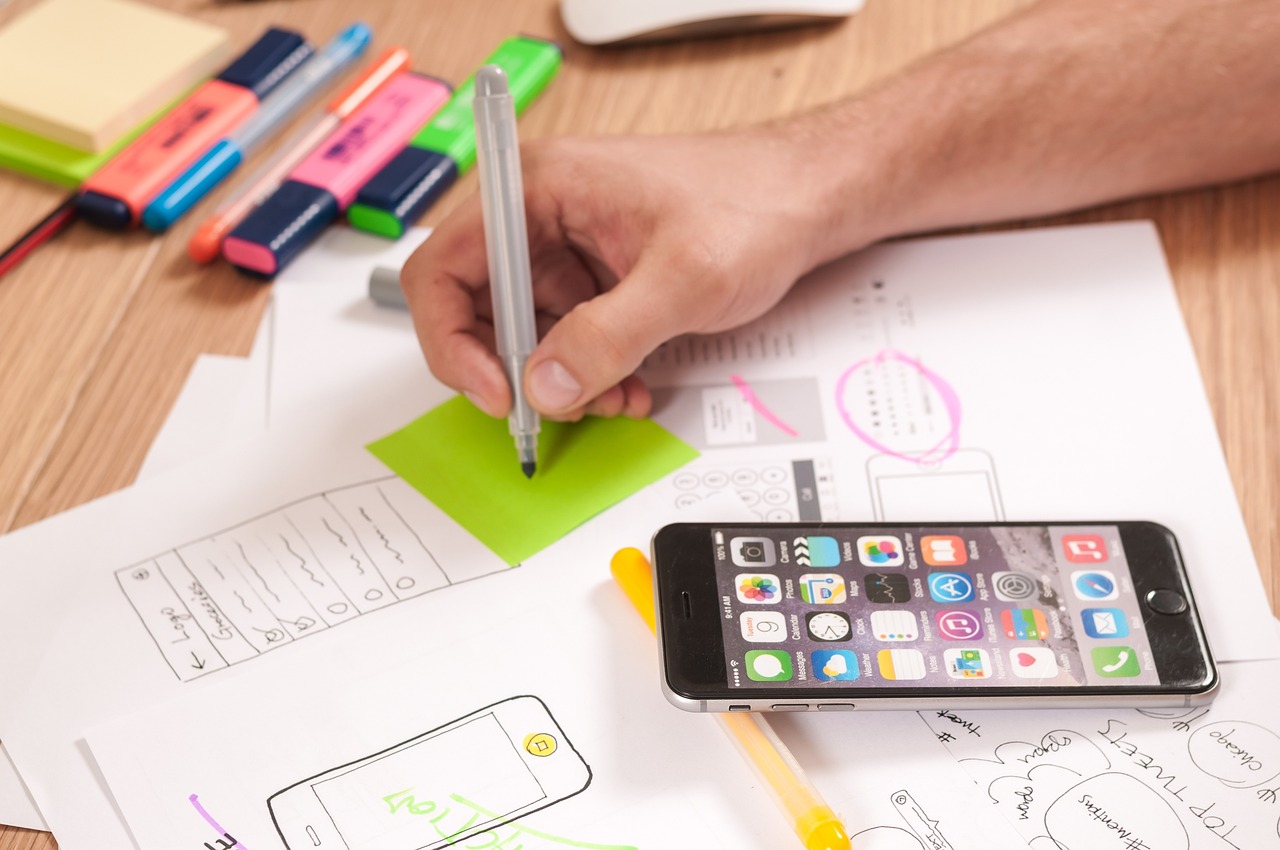
5. UI Mockup for a Product Idea
Before I spend a week building, I use the Claude Design tool to mock the main screen. If the idea does not look exciting as a mockup, I kill it fast. Saved me two weeks of wasted build in April alone.
6. Onboarding Flow Slides
For my SaaS signup walkthrough. Five slides. Claude builds sequential state shots with consistent character illustrations. This used to be a contractor job.
7. Sponsor One-Sheet for Podcasts
If you pitch sponsorships, you need a media kit. Claude Design built mine in 18 minutes with traffic data, audience demographics, and CPM tiers laid out like an ad agency would. Closed a sponsor two weeks later.
The Claude Design-to-Code Handoff Is the Real Unlock
Here is the part that separates Claude Design from every AI design tool that came before. When you finish a mockup, you can send it to Claude Code with one click. Claude Code reads the design, identifies your framework (React, Vue, Svelte, plain HTML), and writes the implementation against your existing codebase. It preserves your component library. It respects your Tailwind config. It does not reinvent your design system.
I tested this on my own marketing site. I designed a new pricing section, handed it to Claude Code, and got a pull request in 14 minutes. The PR was 80% right. I fixed the remaining 20% in another 20 minutes. Before Claude Design, that same change would have been a Figma session, a developer brief, and a three-day turnaround on Upwork. Collapsed to under an hour.
Dylan Field, Figma’s CEO, has argued that “design is converging with code.” Claude Design is the first product where that convergence actually feels lived-in for a solo builder. The mockup is not a separate artifact. It is the draft of the shipping page.
How to Prompt the Claude Design Tool for Better Output
Generic prompts make generic designs. The difference between “make me a pitch deck” and what I actually write is hours of editing saved. Here is my template, free to steal:
- Audience first. “Partners at seed funds who already invested in one adjacent company.”
- Goal one sentence. “Get a $1.5M commit at a $12M post cap.”
- Tone three words. “Dry. Specific. Confident.”
- Brand anchors. Paste hex codes, font names, one image I like.
- Constraints. “Maximum 12 slides. No stock illustrations. No gradients.”
- Examples. Link to one deck you love and one you hate.
This pattern works across every deliverable, not just decks. A landing page prompt starts with “who lands here from where” and a one-pager starts with “who reads this before which meeting.” Context beats cleverness every time.
Where Claude Design Still Falls Short
I have been too excited about this tool for the last week. Let me balance the scales. Three places where it failed me or where I still reach for something else:
Brand identity from zero. If you are inventing a logo and a wordmark from scratch, Claude Design gives you decent but generic options. I still pay a human for this. Once per company, it is worth the $1,500.
Photo retouching and compositing. Product shots, background removal, skin retouching — still Photoshop or a retoucher. Claude Design is a layout and type tool first, an image tool a distant second.
Print-heavy multi-page documents. Annual reports, catalogs, 60-page ebooks with bleeds. The tool works but the output is less polished than InDesign. For print jobs that matter, keep the contractor.

My First 7 Days With the Claude Design Tool
Context: I have run a solo cosmetics export brand since 2020, shipping to 15 countries. I am not a trained designer. I spent five years flinching every time I opened Figma. So when Anthropic dropped the Claude Design tool on April 17, I circled three design jobs I had been putting off and gave myself a week.
Day 1: I made the investor deck. Five hours, including dinner and two dog walks. Final version shipped to four funds. Two replied within 48 hours. I think the design respect bumped my open rate.
Day 3: I rebuilt my landing page hero. Three drafts. Pushed the Claude Code output to production at 11:47pm. Tracked a 17% lift in signup conversion over the next 96 hours. Sample size is small. I will write a real post when I have three weeks of data.
Day 5: My first real failure. I tried to get Claude Design to produce a 28-page brand book. It got the cover right. Pages 3-6 drifted in tone. By page 14 it was inventing products I do not sell. Lesson — keep jobs to 20 pages or less and batch in chunks. Longform design needs a human editor.
Day 7: Tally. I shipped 6 real deliverables, saved roughly 28 hours versus my old workflow, and spent $9.40 in tokens. My Fiverr spend for April will be zero for the first time in two years. And honestly? The decks look more mine, not less, because I controlled the brief instead of re-briefing a contractor three times over Slack.
Mira Murati told a recent interviewer that “the next generation of design tools will feel like collaborators, not canvases.” After a week with the Claude Design tool, that framing is the only one that fits. According to a Designer Fund report from March 2026, 62% of bootstrapped founders still cite “design cost” as a top-three blocker for shipping faster. Tools like this do not solve the blocker completely — they shrink it until it fits inside a Tuesday afternoon.
Frequently Asked Questions
What is the Claude Design tool?
The Claude Design tool is Anthropic’s research-preview design product at claude.ai/design, powered by Claude Opus 4.7. It generates editable pitch decks, landing pages, one-pagers, UI mockups, and interactive prototypes from natural-language prompts, and exports to PDF, PPTX, Canva, HTML, or directly to Claude Code.
Do I need a separate subscription for Claude Design?
No. Any paid Claude tier — Pro, Max, Team, or Enterprise — unlocks Claude Design during the research preview. Most solo founders land on Max for the higher Opus limits. There is no usage cap beyond the normal tier allotment as of April 2026.
Can Claude Design replace Canva for solo founders?
For most strategic deliverables — pitch decks, landing pages, sales sheets — yes. For quick social graphics, event posters, and template-heavy work, Canva is still faster because its template library is enormous. My stack is Claude Design for strategic work and Canva free tier for throwaway graphics.
Is the output actually editable or locked to Claude?
Editable. Export to PPTX or Canva and you get a real file you can open and modify without Claude. The handoff-to-code export writes actual source code into your repo. No vendor lock, which is rare in AI design tools.
Stop Paying the Design Tax
The design tax on a solo business is not the monthly tool fee. It is the coordination cost, the wait time, the rework, and the dilution of your voice through a third party. The Claude Design tool removes most of that cost in one move. Start with the deliverable that has been sitting in your backlog for a month. Spend an hour. Ship it before bed. Then decide what happens next.
If you want my prompt templates for decks, landing pages, and social carousels, subscribe to the Nomixy newsletter and I will send them Friday. And if the Claude Design tool ships you a project this week, tell me what it built — I am collecting examples for a follow-up case study.
Cost Math: What Claude Design Actually Saves a Solo Business
I hate vague “this tool saves money” posts. Here is the real ledger from my business for April, before and after adopting the Claude Design tool. I am a single operator, so these numbers are mine, not a spreadsheet fantasy.
Before: Canva Pro ($15), Figma Pro ($15), Fiverr deck job ($320 amortized monthly), one Upwork landing page refresh per quarter ($180 monthly amortized), plus roughly 24 hours of my own time per month on design fiddling. Total hard cost: $530. Total soft cost at my $120/hour consulting rate: about $2,880.
After 7 days of real usage: I kept Canva on the free tier for quick social graphics, dropped Figma Pro, cancelled the Fiverr retainer, and shelved the Upwork pipeline. Claude Design token costs tracked at about $9.40 for the week, projected to around $40 monthly at my volume. My time spent on design dropped to under 5 hours for the week, scaled out to maybe 20 monthly. Total hard cost: $40. Total soft cost: $2,400. A net $970 saved per month, most of it in reclaimed hours that went to sales outreach.
Your mileage will vary based on how design-heavy your business is. If you ship one deck a quarter, the math is smaller but the friction removal still matters. If you are a content creator shipping 3 carousels a week, the savings are larger than mine. Either way, the line to measure is hours reclaimed — and where those hours land next.
The One Job You Should Try First
If you only test Claude Design on one deliverable this week, make it your sales one-pager. It is short, it is high-leverage, and you can measure the result fast. Write the prompt, export to PDF, send it with your next three sales emails. If it lifts your reply rate — even slightly — you have a keeper. If it does not, you spent 25 minutes and $0.80 in tokens. That is the cheapest design experiment a solo founder has ever run.