Something shifted in the AI world this month, and most solo founders haven’t caught on yet. IBM declared 2026 the year multi-agent systems move into production. Google published a report showing enterprises are building “digital assembly lines” with AI agents. And the AI agent market just crossed $12 billion — growing at 45% per year.
But here’s what matters to you: these aren’t just enterprise tools anymore. The same agent technology that Fortune 500 companies use to coordinate supply chains is now available to a solo founder with a laptop and a $75/month software budget. The question isn’t whether AI agents will change how one-person businesses operate. It’s whether you’ll adopt them before your competitors do.
This article covers what AI agents actually are (without the buzzword soup), which ones matter for solo businesses right now, and a practical framework for building your own agent team. I’ll share what’s worked for me and what hasn’t.
In This Article
- AI Agents vs. AI Assistants: What’s the Real Difference?
- Why 2026 Is the Tipping Point for AI Agents
- 5 AI Agent Types Every Solo Founder Should Know
- How to Build Your Own AI Agent Team (Step by Step)
- The MCP Protocol: How Agents Talk to Each Other
- Real Costs and ROI for Solo Operations
- My Experience Building an AI Agent Stack From Scratch
- Frequently Asked Questions
AI Agents vs. AI Assistants: What’s the Real Difference?
Everyone’s throwing around the word “agent” in 2026. Most of them are using it wrong. So let me clear this up before we go further.
An AI assistant (like basic ChatGPT) is reactive. You ask a question, it answers. You give a command, it executes. Then it waits for your next instruction. It’s a very smart tool, but it’s still a tool — you drive, it rides.
An AI agent is different in three ways. First, it can plan. Give it a goal (“increase my email open rates by 15%”), and it figures out the steps on its own. Second, it can act — not just suggest, but actually send the emails, adjust the subject lines, segment the list. Third, it can learn from results and adjust its approach without you telling it to.
Think of the difference like this: an assistant is a GPS that gives you turn-by-turn directions. An agent is a self-driving car that observes traffic, picks the best route, and gets you there while you do something else.
For solo founders, this distinction matters because agents can run processes in the background while you focus on high-value work. An assistant saves you time on individual tasks. An agent takes entire workflows off your plate.
Why 2026 Is the Tipping Point for AI Agents
AI agents aren’t new. But three things happened in the past 12 months that turned them from experimental toys into practical business tools.
Protocol standardization arrived. The Model Context Protocol (MCP) — originally launched by Anthropic — is now under open governance through the Linux Foundation. IBM, Google, and dozens of other companies adopted it. MCP gives agents a standard way to connect to your existing tools (databases, CRMs, email systems) without custom integration work. Before MCP, connecting an AI agent to your Shopify store required a developer. Now it requires a configuration file.
The economics crossed a threshold. According to The Business Research Company, the AI agent market grew from $8.29 billion in 2025 to $12.06 billion in 2026 — a 45.5% growth rate. That kind of growth means prices are dropping fast while capabilities are improving. What cost $500/month in agent tooling 18 months ago now costs $50.

Enterprise validation trickled down. When Salesforce reports $800 million in annual revenue from its Agentforce product, solo founders pay attention. Not because we’re buying Salesforce — but because it proves the pattern works. If agents can manage customer service for a Fortune 500 company, they can certainly handle the 20 support emails you get per day.
Kate Blair from IBM put it well in a recent interview: 2025 was the year of the agent. 2026 is when these patterns come out of the lab and into real life. For solo businesses, that means the window between “early adopter advantage” and “everyone’s doing it” is closing fast.
5 AI Agent Types Every Solo Founder Should Know
Not every AI agent is relevant to a one-person operation. After testing dozens of tools over the past year, I’ve narrowed it down to five categories that actually move the needle for solo businesses.
| Agent Type | What It Does | Time Saved/Week | Monthly Cost |
|---|---|---|---|
| Content Agent | Researches topics, drafts posts, schedules publishing | 4-6 hours | $20-$40 |
| Customer Agent | Triages emails, drafts replies, handles FAQs | 3-5 hours | $15-$30 |
| Workflow Agent | Automates repetitive processes across tools | 5-8 hours | $10-$30 |
| Research Agent | Monitors competitors, tracks trends, gathers data | 2-4 hours | $10-$20 |
| Analytics Agent | Tracks KPIs, generates reports, flags anomalies | 1-3 hours | $10-$20 |
Content agents are where most solo founders start, and for good reason. Content creation is time-intensive, repetitive enough to automate partially, and directly tied to revenue through SEO and social media. A good content agent doesn’t replace your voice — it handles the research, drafting, and scheduling so you only need to edit and approve. I use a content agent that monitors trending topics in my niche, drafts outlines based on what’s ranking, and schedules social media posts across four platforms. My content output tripled while my time investment dropped by half.
Customer communication agents are the second priority. They sit on top of your email or chat system and handle the 80% of messages that follow predictable patterns — order status questions, feature requests, basic troubleshooting. The agent drafts responses; you approve and send. Over time, it learns your tone and gets better at matching your style.
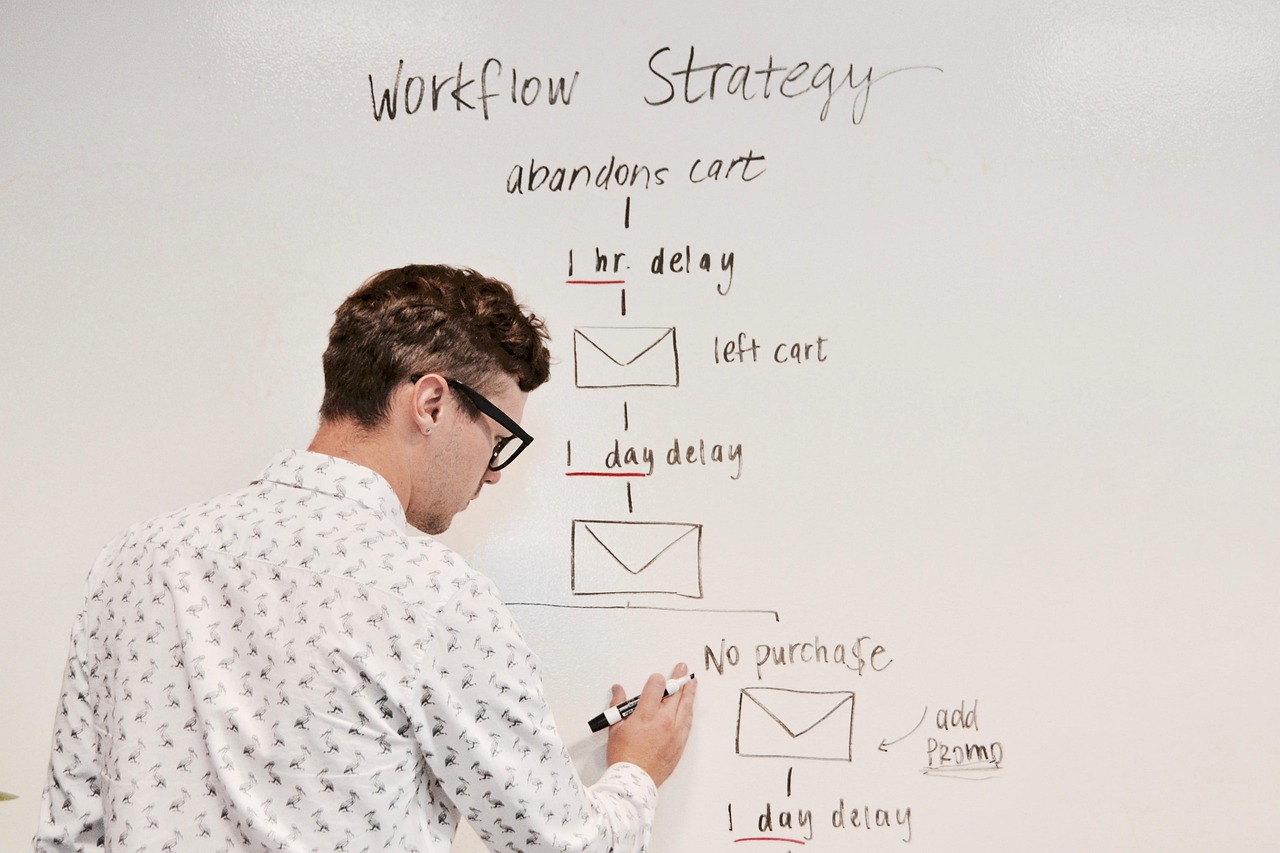
Workflow automation agents are the unsung heroes. They connect your tools — when a new customer signs up, the agent creates a CRM entry, sends a welcome email sequence, adds them to the correct segment, and schedules a follow-up task. Platforms like Make.com and Zapier have added AI agent capabilities that go beyond simple “if this, then that” triggers.
Research agents are most valuable for founders in competitive markets. They monitor competitor pricing, track industry news, and compile weekly briefings. Instead of spending your Saturday morning reading 30 articles, you get a two-page summary with the three things that actually affect your business.
Analytics agents are the most underused. They watch your dashboards and flag when something’s off — traffic dropped 20%, conversion rate spiked on a specific page, a product is suddenly selling 3x its normal rate. Most solo founders only check analytics when something feels wrong. An analytics agent catches problems (and opportunities) while they’re still small.
How to Build Your Own AI Agent Team (Step by Step)
Don’t try to set up all five agent types at once. That’s a recipe for overwhelm and abandoned projects. Here’s the sequence I recommend based on what delivers ROI fastest.
Week 1-2: Start with one workflow automation. Pick your single most repetitive task — the thing you do every day that follows the same steps. New customer onboarding. Invoice follow-ups. Social media scheduling. Build one automation agent for that specific process. Use Make.com or Zapier with their AI features. Don’t over-engineer it. Get it working, then refine.

Week 3-4: Add a customer communication agent. Connect an AI agent to your email inbox. Start with auto-drafting replies to common questions only — don’t try to handle edge cases yet. Review every draft for the first two weeks. Once accuracy hits 90%+, you can start auto-sending the most routine responses.
Month 2: Layer in content assistance. By now you’ll understand how agents work and what they’re good at. Set up a content agent that handles research and first drafts. Keep editorial control tight — AI-generated content needs your voice, your examples, your opinions layered on top.
Month 3+: Add research and analytics. These are optimization layers. They make everything else better but aren’t urgent on day one. Set up a weekly competitor briefing and an anomaly-detection dashboard. Review and adjust monthly.
The key insight: each agent should solve one problem well before you add the next one. Stack complexity gradually. A single reliable agent beats five flaky ones.
The MCP Protocol: How Agents Talk to Each Other
If you’ve read about MCP (Model Context Protocol) and felt confused, you’re not alone. But the concept is simpler than it sounds.
MCP is a universal connector for AI agents. Before MCP, if you wanted your AI agent to access your Google Calendar, you needed a custom API integration. If you wanted it to also access your Shopify store, that’s another custom integration. And your CRM? Another one. Each connection required developer work.
MCP standardizes those connections. It’s like USB for AI — one protocol that works with everything. Your agent connects to MCP, and through MCP it can access your calendar, your store, your CRM, your email, and any other tool that supports the protocol. Google, IBM, Anthropic, and dozens of other companies now support MCP. That means the ecosystem of compatible tools is growing fast.
For solo founders, MCP means you can connect AI agents to your existing business tools without hiring a developer and without switching platforms. Your WordPress site, your Shopify store, your email system — if they support MCP (or have a Make.com/Zapier integration), your agents can work with them.

Real Costs and ROI for Solo Operations
Let’s talk real numbers, because the “AI saves you millions” hype doesn’t help when you’re running a business on a tight budget.
A practical AI agent stack for a solo founder costs $75 to $150 per month. That includes ChatGPT Plus or Claude Pro ($20), an automation platform like Make.com ($10-$30), and one or two specialized agent tools ($20-$50 each). Some founders spend more, but you can build an effective system within this range.
The ROI math is straightforward. If your agent stack saves you 15 hours per week (which is on the conservative end of what the data shows), and your time is worth $50/hour, that’s $750/week in recovered productive capacity — roughly $3,000/month for a $150/month investment. A 20:1 return.
But I need to be honest about what the data also shows: most solopreneurs see positive ROI within 60 to 90 days of adoption. The first month is mostly setup and learning. The second month is when workflows stabilize and time savings materialize. By month three, you can measure real impact on your output and revenue.
What you won’t find is “passive income from AI.” The agents still need supervision, updates, and occasional fixes. This isn’t set-and-forget. It’s more like having a junior team member who handles the grunt work while you focus on strategy and relationships.
My Experience Building an AI Agent Stack From Scratch
I started building my AI agent setup about a year ago, and the journey was messier than any tutorial suggests.
Month one was pure chaos. I tried to automate everything at once — content creation, email responses, social media posting, competitor monitoring. Within two weeks, I had five half-working automations that each broke in different ways. A content agent published a draft that wasn’t ready. An email agent sent a response with the wrong customer’s name. My social media agent posted the same thing three times because I didn’t set up deduplication.
So I scrapped it all and started over with one rule: one agent, one job, fully working before adding the next.
I began with workflow automation — specifically, my new customer onboarding sequence. When someone purchased a product, the agent created a shipping label request, sent a confirmation email, added the customer to my CRM, and scheduled a follow-up check-in for day 7. That single automation saved me about 45 minutes per day and never broke because the logic was simple and linear.
Six months in, my stack handles content research, email triage, social media scheduling, and weekly analytics summaries. Total cost: about $110/month. Total time saved: roughly 18-20 hours per week. That’s not a typo — I went from working 55-hour weeks to 35-hour weeks while producing more output.
The biggest lesson? Agents amplify your systems, not your chaos. If you don’t have a clear process for something, automating it with an agent just creates automated chaos. Define the workflow first on paper. Then hand it to the agent.
Frequently Asked Questions
What is an AI agent for business?
An AI agent for business is a software system that can autonomously plan tasks, take actions across multiple tools, and adjust its behavior based on results. Unlike a chatbot that only responds to prompts, an agent can run multi-step workflows independently — such as monitoring your inbox, drafting replies, and scheduling follow-ups without constant human input.
How much does an AI agent stack cost for a solo business?
A practical AI agent stack for a solo founder costs $75 to $150 per month. This typically includes a general AI assistant ($20/month), an automation platform like Make.com ($10-$30/month), and one or two specialized tools. Most solopreneurs see positive ROI within 60 to 90 days through time savings equivalent to 15-20 hours per week.
Do I need coding skills to use AI agents?
No. The majority of AI agent tools in 2026 are designed for non-technical users. Platforms like Make.com, Zapier, and ChatGPT’s built-in agent features use visual interfaces and natural language commands. That said, understanding basic automation logic (triggers, conditions, actions) helps you build more reliable workflows.
What’s the best AI agent to start with as a solo founder?
Start with a workflow automation agent that handles your single most repetitive daily task. Common starting points include new customer onboarding sequences, invoice follow-ups, or social media scheduling. Master one agent completely before adding others — a single reliable automation beats five unreliable ones.